Summary
- A Google Maps business pin is the foundation of local visibility, helping customers find your business instantly through Google Search and Maps.
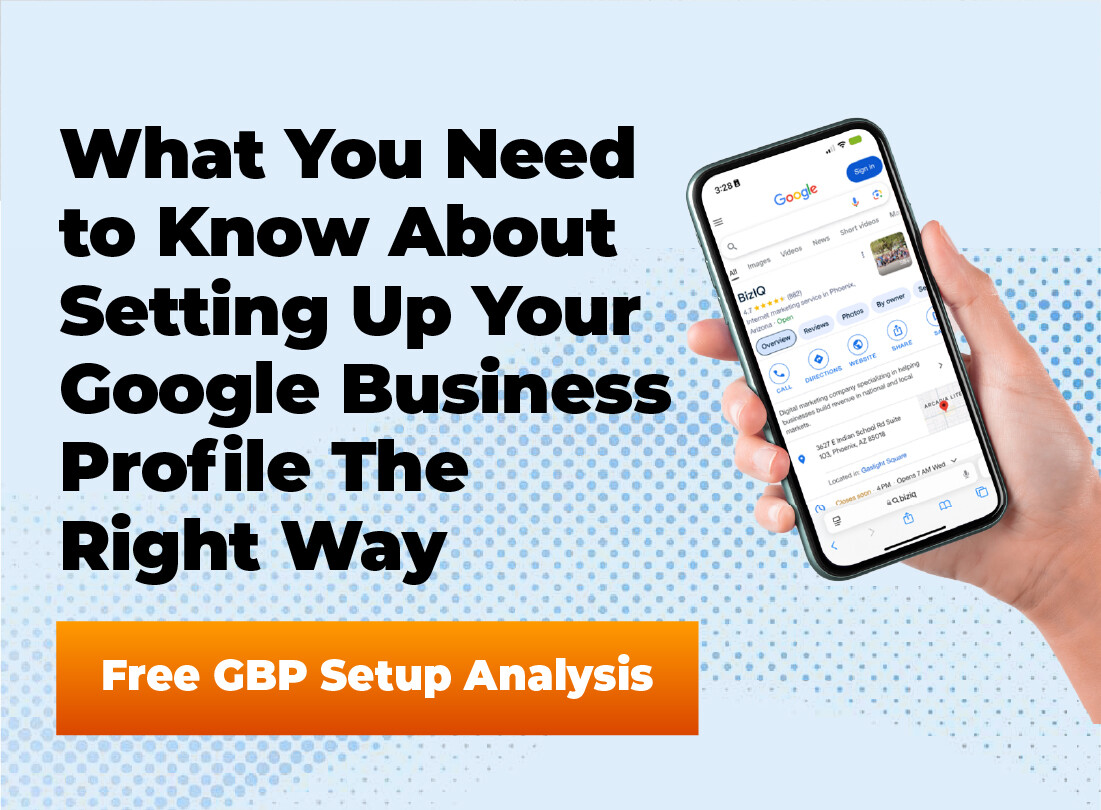
- Your pin is powered by your Google Business Profile, which displays key details like hours, phone number, reviews, photos, and directions.
- Claiming, verifying, and fully completing your profile improves credibility, trust, and your chances of appearing in the local pack.
- Ongoing optimization—photos, posts, reviews, accurate info, and messaging—turns your pin into a consistent source of calls, visits, and leads.
You’ve spent countless hours building your business. You have a great product or service. But do local customers even know you exist? It’s frustrating when you feel invisible, especially when potential buyers are just around the corner. A powerful, and free, tool to fix this is the google maps business profile. This profile puts you right where people are looking. With a properly managed google maps business profile, you stop being a local secret and start becoming a local destination.
Table of Contents
What Exactly Is a Google Maps Business Profile?
You may have heard of Google My Business, or GMB, in the past. Google has a habit of changing names, and Google Business Profile is the current iteration. Think of your profile as a digital storefront for your business that shows up across Google’s services.
It is a free business listing that you can set up and manage. This single tool lets you control how your business appears in google search results and, most importantly, on Google Maps. It’s the information source for the detailed box that appears when people search for your business.
This profile is where you list your business hours, phone number, and business address. It is also the hub for customer reviews, photos, and directions. Without one, you let Google guess your business details, which is a risk not worth taking for your business presence.
Why Your Business Absolutely Needs One
Having a business is one thing, but getting customers through the door is another challenge. Your google business profile acts as a bridge, connecting you to people in your area actively searching for the services you offer. Today, it is a fundamental business necessity.
One of the biggest advantages is a dramatic increase in visibility. When people perform local searches for phrases like “pizza near me” or “plumber in [your town],” Google displays the local pack. This is the map with three business listings shown prominently at the top of the search engine results. A strong, complete profile gives you a real opportunity to appear there.
It also helps to build trust with potential customers. A complete profile with high-quality photos and positive online reviews signals that you are a legitimate and respected local business. People can see genuine feedback from other customers, making them much more comfortable choosing you over a competitor with a sparse or non-existent profile.
Setting Up Your Google Maps Business Profile Step-by-Step
Getting your business listing started is straightforward, but doing it correctly from the beginning is vital. Following these steps will ensure your foundation is built properly. Let’s walk through the process of how to add business information to Google.
Step 1: Sign In and Find Your Business
First, navigate to the main Google Business Profile page. You will need a Google account to proceed, so sign in with your credentials. It is best to use a gmail address associated with your business account, not a personal one.
Once you are signed in, you can begin by typing your business name into the search bar. If your business has been around for some time, Google might already have a partial listing for it. If it appears, you can select it and begin the process of claiming it. If not, you will simply create a new business profile from scratch.
Invisible on Google Maps?Let’s Fix That.
If customers can’t find you in local search, they’re choosing your competitors instead. BizIQ helps small businesses claim, verify, and optimize their Google Business Profile the right way.
Step 2: Choose Your Business Type
Next, Google will ask you about the business type you operate. You will generally have three main choices to define your business. Choosing the right one is important for how customers find and interact with you.
A “Local store” is for a business with a physical address that customers can visit, such as a boutique or restaurant. A “Service business” is for a business that travels to its customers, like a mobile car wash or a landscaping company. A service-based business defines a service area instead of a single business location.
You can also select a hybrid model if you have a physical location but also offer delivery or make house calls. This allows you to show your address and your service area. This flexibility helps represent your actual business operations accurately.
Step 3: Add Your Business Category
This step is critical for appearing in relevant searches. You must select a primary category that best describes your core business. Be as specific as you can.
For example, instead of just “Restaurant,” select “Pizzeria” or “Seafood Restaurant” if that is more accurate. After you pick a primary business category, you can add more secondary categories. These help the search engine understand the full scope of what your business provides.
A bookstore, for instance, might add “Coffee Shop” or “Event Venue” as secondary categories if it offers those things. These details help Google match you with more specific local searches. Take your time to explore all the category options available.
Step 4: Enter Your Location Details
If you have a physical location that customers can visit, this is where you enter your business address. Meticulously double-check this information for accuracy. An incorrect address will confuse customers, damage your credibility, and hurt your local search rankings.
If you operate a service-area business, you will define the cities, postal codes, or general region you serve. This tells Google where to show your business listing when people in those specific areas search for your services. Do not try to list a service area that’s larger than where you actually operate, as this can violate guidelines.
For businesses with multiple locations, you will create and manage separate business profiles for each one. Each profile will need its own unique physical address and verification. This ensures customers find the specific location closest to them.
Step 5: Add Contact Information
Make it simple for customers to contact you. Add your business phone number and the full address of your website. Again, verify that this information is accurate and matches what is listed on your website and other online directories.
Consistency with your business address phone number across the web is a significant factor for local SEO. It helps Google confirm that you are a real, established business. An updated profile makes it easy for potential customers to learn more or ask a question directly.
Step 6: Verify Your Business
You cannot fully manage your profile until you verify that you are the legitimate business owner. Verification protects your business presence from someone else trying to act as your business. It is a crucial step to gain full control of your listing.
The most common verification method is by mail. Google will send a postcard with a verification code to your business address phone number location. Once you receive it, you just log back into your Google business account and enter the code to complete the process.
In some situations, Google may offer other options like verification by phone, text message, email, or a video call where you show proof of your location and business. The available methods depend on your business type and history with Google.
Optimizing Your Profile for Maximum Impact
Setting up your profile is just the first step. The real power of the platform comes from actively managing and optimizing it. A vacant profile is only marginally better than having no profile at all.
Turn Your Map Pin Into a Lead Magnet
An incomplete or outdated profile costs you calls, visits, and trust. We optimize every detail—categories, photos, posts, and local SEO signals—so your listing works harder for you.
Fill Out Every Single Section
Do not skip any part of the profile setup. Go through every available tab and complete it with as much detail as possible. Add your opening hours, a compelling business description, your menu or services, and any special attributes.
Does your business offer free Wi-Fi? Is it wheelchair accessible? Are you a veteran-led business? Adding these attributes helps customers find exactly what they need and helps your profile stand out from the competition.
The more information you provide, the better Google can match your business to relevant searches from potential customers. A complete profile demonstrates professionalism and a commitment to helping customers. You can use the pencil icon next to each section to edit business details at any time.
Choose High-Quality Photos and Videos
People are visual, and a profile with excellent photos will always outperform one without them. Research has shown that business profiles with photos receive significantly more requests for directions and more clicks to their websites. High-quality visuals help build trust before a customer even visits.
Add a variety of pictures to showcase your business. Include a clear logo and an engaging cover photo. Post pictures of the outside of your building so people can recognize it, and add photos of the interior to show the atmosphere.
Also, upload photos of your products, your team at work, and your happy customers (with their permission, of course). Videos are even better for showing off your business’s personality and the services you offer. These visuals can turn a curious searcher into a new customer.
Encourage and Respond to Customer Reviews
Customer reviews are the lifeblood of your local reputation. A consistent stream of positive online reviews is one ofr the strongest ranking factors for the local pack. It shows Google that customers trust and value your business.
Do not be shy about asking your happy customers for a review. You can create a direct link to your review page to make it simple for them. However, it’s just as important to respond to all of them, both the good and the bad.
A thoughtful, professional response to a negative review can sometimes win over more customers than a dozen five-star ratings. It shows you care about customer feedback and are dedicated to providing a good experience. Responding to positive reviews shows appreciation and encourages more feedback.
Use Google Posts Regularly
Think of Google Posts as free advertising space on your profile. You can create short posts to announce sales, new products, company updates, or upcoming events. These posts appear directly on your business google maps listing.
Most posts expire after seven days (unless tied to an event), so you need to post consistently to keep your profile active. It is a great way to keep your business presence looking fresh. This activity signals to Google that you actively manage google business information and gives customers a reason to check back.
Activate the Messaging Feature
Your Google Business Profile includes a messaging feature that lets customers send you a text message directly from your profile. This is an incredibly convenient way for people to ask a quick question. Many customers now prefer messaging over making a phone call.
If you turn this feature on, you must be prepared to respond quickly. Google even shows customers your average response time. A fast response can be the difference between getting a new customer and having them move on to a competitor.
Don’t Miss Customers Ready to Message You Now
Google Business Profile messaging lets local customers contact you instantly. We’ll make sure it’s enabled, configured, and aligned with your response workflow.
Add Your Products and Services
For many business types, the profile allows you to add a catalog of your products or a menu of your services. This is a powerful feature that gives customers detailed information upfront. If you are a retail business, you can add product listings with photos, descriptions, and prices.
For service-based businesses, this is where you can detail the services offer. You can create categories for your services and then add individual items with descriptions. This helps customers understand exactly what you do and can improve your visibility in searches for specific services.
Take the time to add services or products to your profile. It makes your listing more robust and helpful for users who want to know more before they contact you. A customer can click add to expand sections and see everything you provide.
Use the Questions & Answers Section
Your profile has a public Q&A section where anyone can ask a question about your business. You need to monitor this section closely. If a question goes unanswered, it looks unprofessional and unhelpful.
You can also use this feature proactively. Think of the common questions your customers ask and post them yourself. Then, you can immediately answer them, building a helpful FAQ directly on your profile and saving everyone time.
Common Mistakes to Avoid with Your Profile
It is easy to make small mistakes that can hurt your profile’s performance. Here are some of the most common issues to look out for. Paying attention to these details can give you an edge over your competition.
Inconsistent Name, Address, and Phone (NAP)
Make sure your business name, business address, and phone number are exactly the same on your profile, your website, and other online directories. Even small differences like “St.” versus “Street” or “&” versus “and” can cause confusion for the search engine. This consistency is fundamental to managing google effectively.
Choosing the Wrong Business Category
Selecting a primary category that is too broad or simply incorrect can make you invisible for the searches that matter most. Take time to research and find the most specific and accurate primary category for your business. This is one of the most important fields in your profile.
Keyword Stuffing Your Business Name
It might be tempting to add keywords or your city to your business name, like “Bob’s Plumbing – Best Plumber in Town.” Do not do it. This violates Google’s guidelines and can lead to your profile being suspended, which means you could suffer from lost business.
Avoid Costly Google Business Profile Mistakes
Wrong categories, bad pin placement, missing reviews, or incorrect hours can quietly kill your visibility. BizIQ fixes errors and protects your listing from issues that drive customers away.
Ignoring Customer Interactions
Leaving online reviews without a response or questions unanswered makes your business look like it doesn’t care about its customers. Always engage with your customers, whether their feedback is positive or negative. Engagement is a core part of the profile manage process.
Forgetting Holiday Hours
Nothing frustrates a customer more than driving to a business only to find it closed. Always update your hours for holidays or any other special events where your opening hours might change. You can also mark your business as temporarily closed or permanently closed if necessary.
Conclusion
Your google maps business profile is much more than just a map listing. It is a dynamic, powerful marketing tool that connects your business with local customers who are actively searching for what you provide. It helps to build trust, boosts your visibility in google maps search, and drives real-world traffic to your physical address or website.
Do not treat it as a one-time setup. A well-maintained google business profile requires regular attention, from updating information and adding photos to engaging with customer reviews. The effort you put into managing your google business profile manager will pay off by helping you grow your local business.
Ready to Dominate Your Local Map Results?
Your Google Maps business pin is your digital storefront. Let BizIQ handle setup, optimization, and ongoing management so you can focus on running your business.
Frequently Asked Questions
What is a Google Maps business pin?
A Google Maps business pin is the marker that shows your business’s exact location on Google Maps. It connects directly to your Google Business Profile, displaying your hours, contact details, reviews, photos, and directions.
Why is my business not showing up on Google Maps?
This usually happens if your Google Business Profile hasn’t been claimed, verified, or optimized correctly. Incomplete information, wrong categories, or verification issues can also prevent your pin from appearing in local search results.
Can service-area businesses use Google Maps without showing their address?
Yes. Service-area businesses can hide their physical address and define a service area instead, allowing them to appear on Google Maps without customers showing up at a home or private office.
How often should I update my Google Business Profile?
You should update your profile anytime something changes—hours, services, photos, or promotions. Regular updates, posts, and review responses also help improve local visibility and customer trust.