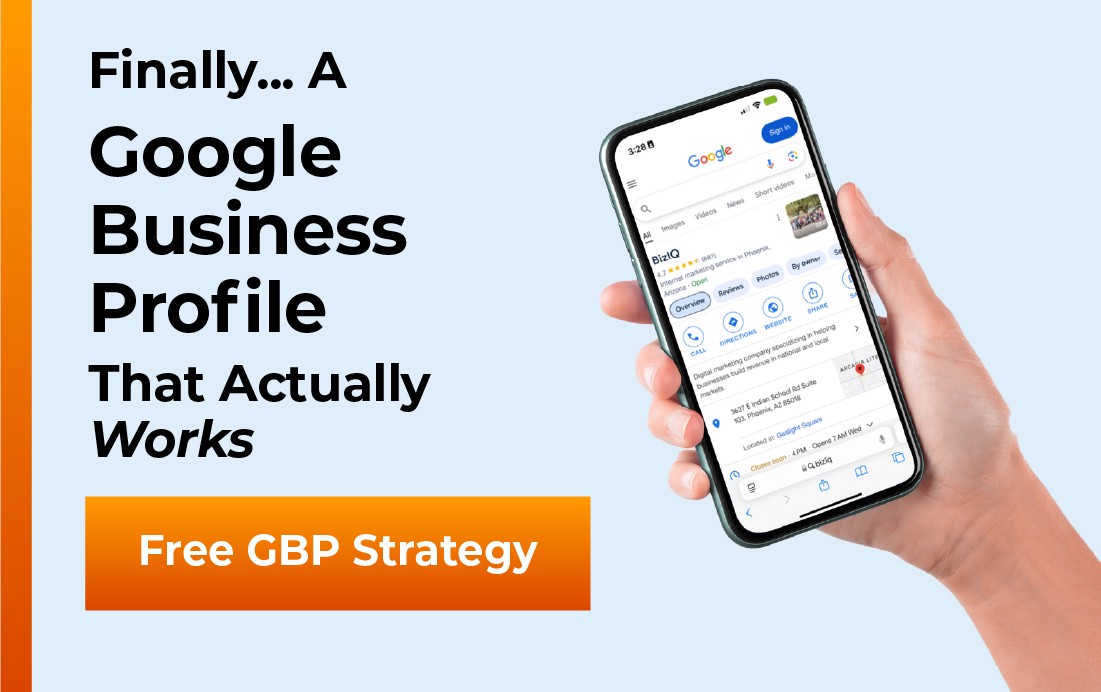
Google Business Profile is the most powerful free tool in local search — and also one of the most confusing. From setup to suspension, from photos to reviews, small business owners ask the same questions every day. This page answers 35 of them, clearly and completely, organized by topic so you can jump to exactly what you need.
35 Google Business Profile questions answered in plain English — setup, ranking, reviews, suspension, and more.
Setup and Verification
What is a Google Business Profile?
A Google Business Profile (GBP) is a free listing that controls how your business appears on Google Search and Google Maps. It displays your name, address, phone number, hours, photos, and reviews to nearby searchers. Businesses with complete profiles receive 70% more location visits than those with incomplete ones, according to Google’s own data.
Is Google Business Profile free?
Yes. Creating and maintaining a Google Business Profile costs nothing. All core features — posts, photos, review responses, Q&A, products, services, and Insights — are included at no charge. Google Ads run from the GBP dashboard are paid, but the organic listing itself is completely free and always has been.
How do I claim my Google Business Profile?
Go to business.google.com and search your business name. If a listing exists and is unclaimed, you will see a “Claim this business” option. Click it and complete Google’s verification process. If the listing shows it is already managed by someone else, request ownership — Google notifies the current manager, and if they don’t respond within 7 days, ownership transfers to you.
How do I verify my Google Business Profile?
Google offers several methods: postcard (a code mailed to your business address, takes 5–7 days), phone call, email, video recording of your business location, or instant verification if your website is verified in Google Search Console. Choose the fastest method available. Until verification is complete, your profile has limited visibility in local search results.
How long does GBP verification take?
Postcard verification takes 5–14 days. Phone and email verification are immediate. Video verification is reviewed within 24–72 hours. If your postcard hasn’t arrived after 14 days, request a new one from your dashboard. Confirm the address on your GBP exactly matches your physical delivery address — any mismatch causes postcard delivery failures.
Can I have a Google Business Profile without a physical address?
Yes. Service-area businesses — plumbers, landscapers, mobile services, cleaning companies — can create a GBP with a service area and a hidden address. Google requires and verifies a physical address, but it does not display it publicly. You define your coverage area by city, county, or zip code. Your business can appear in local results for searches within that defined area.
How do I add my business to Google Maps?
Create and verify a Google Business Profile at business.google.com. There is no separate Google Maps submission. A verified GBP automatically adds your business pin to Google Maps and makes your listing eligible to appear in Map searches and the Local 3-Pack. The process is the same for both Google Search and Google Maps visibility.
BizIQ GBP Setup and Management — Get a Free Analysis
Ranking and Visibility
How do I rank higher on Google Maps?
Google ranks GBP listings on three dimensions: relevance (how well your profile matches the search), distance (how close you are to the searcher), and prominence (how well-known and trusted your business is online). Improve rankings by completing every profile section, selecting accurate specific categories, acquiring reviews consistently, responding to all reviews, posting weekly, building citation consistency across directories, and ensuring your website has local signals — NAP consistency, location-relevant content, and local schema markup.
Why isn’t my business showing up on Google?
Common causes: profile is unverified (only verified profiles receive full visibility), profile information is incomplete, category selection is too broad or inaccurate, review count is low relative to competitors, NAP (name, address, phone) differs between your GBP and website, or the profile has been suspended. Check your GBP dashboard first — it shows your verification status and any issues. If everything appears correct, the cause is likely competitive — other businesses in your area are outranking you on review signals, profile completeness, or website authority.
What is the Local 3-Pack?
The Local 3-Pack is the block of three business listings displayed with a map at the top of Google’s results for local intent queries. It appears in 93% of local searches. Position 1 in the 3-Pack captures approximately 32% of all clicks on the page — dramatically more than any organic result below it. Ranking in the 3-Pack is the primary goal of Google Business Profile optimization because the visibility advantage over organic rankings is substantial and direct.
How long does it take to rank on Google Maps?
Most businesses see measurable ranking improvements within 3–6 months of consistent, properly executed GBP optimization. Competitive markets may take 6–12 months to reach Local 3-Pack positions. Factors that accelerate ranking: review velocity (rate of new reviews), profile completeness, posting frequency, citation consistency, and website authority. There is no shortcut — sustained, consistent activity is what the algorithm rewards.
Can I use keywords in my Google Business Profile?
Yes, in approved fields. Your business description, services list, product descriptions, and GBP posts are all appropriate locations for natural keyword use. Never add keywords to your business name field — this violates Google’s guidelines and risks suspension. Your business name must match your actual registered business name exactly as it appears on your signage and legal documents.
How BizIQ Builds Local 3-Pack Rankings — Learn More
Reviews
How do I get more Google reviews?
Ask at the moment of peak customer satisfaction — immediately after completing a job, finishing a service, or closing a sale. Use the short review link in your GBP dashboard (under “Ask for reviews”) and send it via text, email, or as a QR code on your invoice. Remove all friction between the satisfied customer and the submit button. Consistency matters more than any single campaign — 2–3 new reviews per month beats a one-time burst followed by six months of silence.
How do I respond to Google reviews?
Log in to your GBP dashboard, click “Reviews,” and respond to each one. Positive reviews: thank by name if possible, reference a specific detail, keep to 2–3 sentences. Negative reviews: acknowledge the experience, apologize for the inconvenience, and invite offline resolution — “Please call us at (888) 416-9800 so we can make this right.” Never argue publicly, never reveal private customer information, and never copy-paste generic responses.
Can I delete a negative Google review?
You cannot delete a review left by a customer. You can flag a review for removal if it violates Google’s policies — spam, fake content, off-topic, conflict of interest, or prohibited content. Google reviews the flag and removes policy-violating content. If a negative review is genuine and not a policy violation, respond professionally and focus on acquiring additional positive reviews that improve your overall rating over time.
How do I report a fake Google review?
Click the three-dot menu next to the review in your GBP dashboard and select “Report review.” Choose the most accurate violation type — spam, fake content, conflict of interest, or inappropriate content. Google evaluates the report and removes reviews that violate its policies. For reviews you believe are fake but that Google didn’t remove, escalate through GBP Support with documentation of the review’s inauthenticity.
Does responding to reviews help with ranking?
Yes. Google’s guidance confirms that responding to reviews improves local visibility. Review response rate is part of review signals, which account for 15–17% of Local Pack ranking weight. Beyond ranking, 89% of consumers read business responses before deciding whether to use a business — making your responses a conversion factor that nearly every potential customer sees, not just reputation management.
Do Google reviews affect SEO?
Yes. Review signals — review count, average rating, recency, and response rate — account for approximately 15–17% of Local Pack ranking weight according to Moz’s Local Search Ranking Factors study. Businesses that actively acquire and respond to reviews consistently outrank those with equal GBP optimization but passive review management. Reviews affect both ranking position and consumer conversion rate simultaneously.
BizIQ Reputation Management — Reviews, Monitoring, and More
Photos, Posts, and Content
How many photos should I have on my Google Business Profile?
Upload at minimum: a logo, a cover photo, exterior photos, interior photos (if applicable), product or service photos, and team photos. Google’s research shows profiles with photos receive 42% more direction requests and 35% more website clicks than those without. High-ranking businesses in competitive markets typically maintain 50–100+ photos. Add new photos monthly to signal ongoing activity.
What size should my GBP photos be?
Minimum dimensions are 720×720 pixels in JPG or PNG format. For the cover photo, use at least 1080×608 pixels. File size should be 10KB–5MB. Avoid photos with text overlays, marketing graphics, or stock photography — these violate Google’s photo guidelines and may be removed or trigger profile issues.
Why do my GBP photos keep getting removed?
Google removes photos that violate its content guidelines. Common reasons: text or promotional graphics overlaid on the image, stock photography used as business photos, blurry or low-quality images, or photos that don’t represent your actual business. Ensure all photos are original, high-quality representations of your actual business, team, products, or location with no marketing text on the image itself.
What are Google Business Profile posts?
GBP Posts are short content updates — text, photo, and a call to action — published to your profile and visible in Search and Maps. Post types include: What’s New (general updates, expire after 7 days), Events (persist until event end date), Offers (promotions with optional coupon codes), and Products. Post at minimum once per week to maintain freshness signals and profile engagement.
What should I post on Google Business Profile?
Post content that genuinely serves your customer: seasonal service reminders, answers to common questions, limited-time offers, team spotlights, before-and-after project photos, new service announcements, and event promotions. Always include a photo and a clear call to action. Posts that feel like helpful information from a trusted local business outperform generic promotional posts in both clicks and engagement.
What is the Q&A section on Google Business Profile?
The Q&A section allows anyone — including you — to post questions and answers publicly on your profile. Proactively seed it with your 10 most common customer questions, answered completely. Monitor it weekly because community members can post without your involvement, and incorrect answers from well-meaning contributors can mislead potential customers before they ever reach you.
Suspension and Problems
Why is my Google Business Profile suspended?
Common triggers: keyword stuffing in the business name, operating from a virtual office with no genuine staffed presence, creating duplicate listings, a sudden change in address or category triggering a fraud flag, or operating in a high-scrutiny category (locksmith, legal, financial services). Identify the likely violation, correct it, then submit a reinstatement request through Google Business Profile Support. Do not create a new listing while one is suspended.
How do I get my suspended GBP reinstated?
Review Google’s guidelines, identify and correct the likely violation, then submit an official reinstatement request through the GBP Help Center. Prepare documentation: business license, utility bill at the address, or dated storefront photos showing your business name. Response times range from a few days to several weeks. If your first appeal is denied, gather additional documentation and submit again — persistence combined with clear evidence of legitimacy is the most effective strategy.
Can someone else change my Google Business Profile?
Yes. Google allows anyone to suggest edits to GBP information, and Google may auto-apply those suggestions. This can affect your name, address, hours, or category without notifying you. Enable GBP email notifications so you are alerted when changes occur. Check your profile weekly. If unauthorized edits keep appearing, contact Google Business Support to flag the issue and request elevated edit protection.
A competitor is adding false information to my GBP. What do I do?
Use the “Suggest an edit” feature on your own profile to correct any false information immediately. If someone is systematically making false edits — changing your category, address, or adding inappropriate content — use the Google Business Redressal Complaint Form to report the abuse. Document each incident with screenshots. Contact Google Business Profile Support directly for cases of clear, repeated malicious editing.
Profile Management
How do I add a manager to my Google Business Profile?
Log in to business.google.com, click the three-dot menu next to your business, select “Business Profile Settings,” then “Managers,” then “Add.” Enter the Google account email of the person you’re adding and assign them the Owner or Manager role. Owners have full control including transfer of ownership. Managers can edit the profile and respond to reviews but cannot add or remove other managers or delete the profile.
Can I have multiple Google Business Profile locations?
Yes. Create a separate GBP for each physical location. Google’s Business Account (Location Groups) feature lets you manage all locations from one dashboard. Each location needs its own unique address, phone number, and content — avoid duplicating the same description and photos across locations, as this reduces individual profile performance and can trigger spam flags for bulk-edited profiles.
Is Google Business Profile the same as Google My Business?
Yes. Google rebranded “Google My Business” to “Google Business Profile” in November 2021 and retired the standalone app in 2022. The platform is functionally identical — same features, same ranking signals, same optimization principles. Management now happens through Google Search (search your business name while logged in), Google Maps, or the business.google.com dashboard.
How do I use Google Business Profile Insights?
Access Insights in your GBP dashboard under “Performance.” It shows how customers found your profile (direct search vs. discovery), how many times your profile appeared in Search vs. Maps, and what actions users took (website visits, calls, direction requests). Review monthly. Growing views with flat actions indicates a profile conversion problem. Growing actions relative to views indicates effective optimization. Use this data to decide where to focus your next optimization effort.
How do I contact Google Business Profile support?
Visit support.google.com/business and search the Help Center. For issues not resolved by self-service — suspension appeals, ownership disputes, or technical problems — click “Contact us” at the bottom of the Help Center page. Support options include chat, email callback, and phone depending on your location and issue type. For suspension appeals, use the official reinstatement request form linked directly from the GBP suspension help article.
What are GBP attributes?
Attributes are additional descriptors that appear on your profile and function as filters in Google Maps search. Common attributes include: women-owned, veteran-owned, wheelchair accessible, outdoor seating, accepts credit cards, free Wi-Fi, and industry-specific options. Fill out all applicable attributes. They expand the filter-based searches your profile can appear in and add trust signals that consumers see when evaluating your business.
Still have a question not answered here?
The BizIQ team works with local businesses on Google Business Profile optimization every day. If you have a specific GBP problem or need help with setup, verification, suspension, or ongoing management, reach out directly.
Talk to BizIQ About Your Google Business Profile
Sources
Answers in this FAQ are based on Google’s official Google Business Profile Help Center documentation, Google’s published research on local search behavior, BrightLocal’s Local Consumer Review Survey 2025, and Moz’s Local Search Ranking Factors study. All platform-specific guidance reflects current GBP functionality as of May 2026.