Yes, you can use Google Business without a website. Google lets any eligible local business create and verify a Google Business Profile (GBP), the free listing once known as Google My Business (GMB), with no website attached. That listing can show up on Google Search and Google Maps, take calls, hand out directions, and collect reviews. A website still helps you rank higher and capture more leads, but it is not required to get started. Here is exactly what a profile-only setup gets you, where it falls short, and how to set it up the right way.
- You do not need a website to create or verify a Google Business Profile. Google confirms businesses without a site can still list and get found.
- A profile-only setup can appear in the local map pack, take calls and messages, and collect reviews, all for free.
- The trade-off is reach: without a website you generally miss the organic (blue-link) results and the backlinks that help a profile climb in tough markets.
- Google turned off the free websites it used to build from Business Profiles in 2024, so a profile is no longer a substitute for a real site.
- Start with the profile today; add a website when you are ready to compete harder and capture more leads.
What’s in This Guide
The short answer: yes, and here is the proof
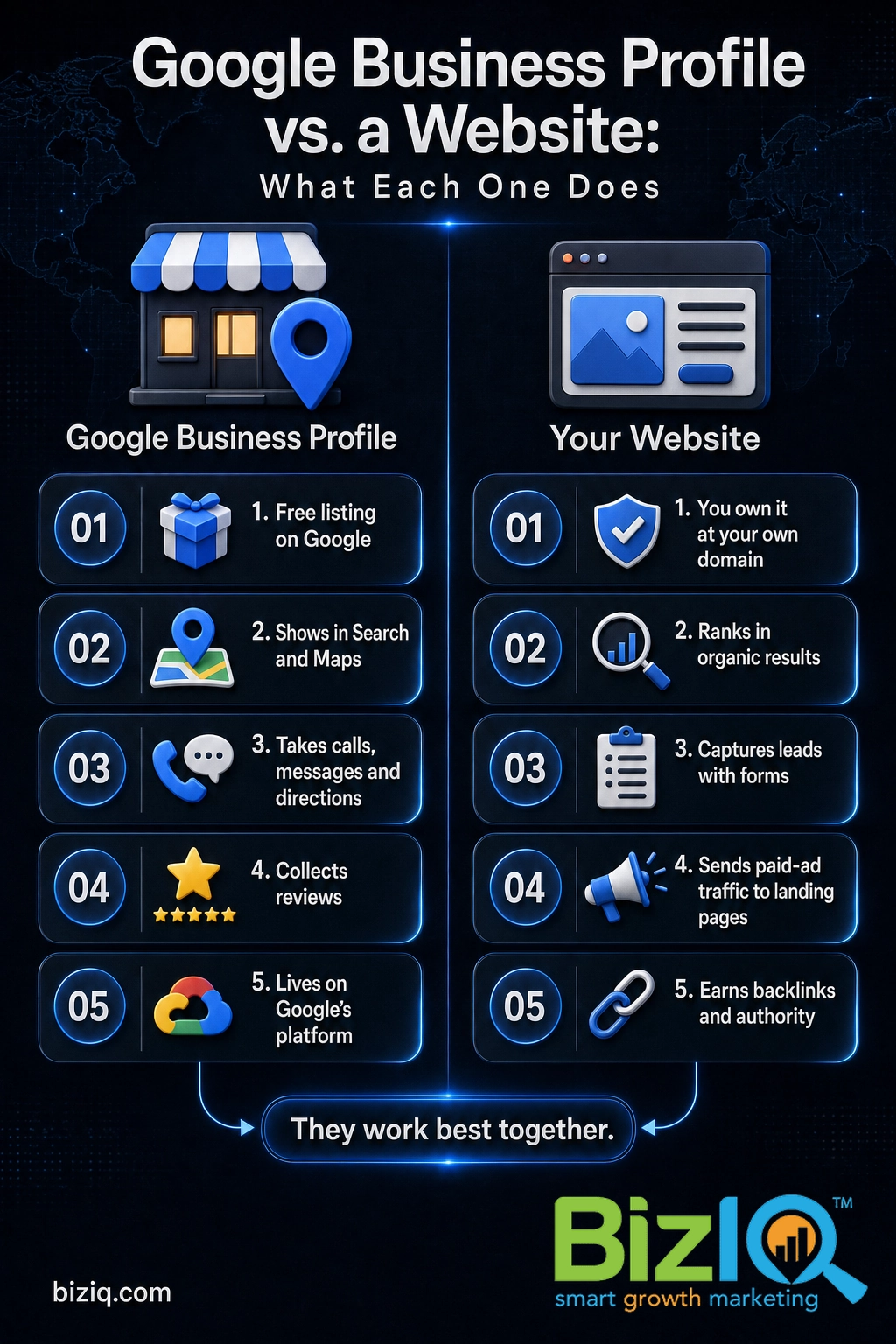
A Google Business Profile and a website are two different things. The profile is a free listing that lives on Google and appears in Search and Maps. A website is a property you own at your own domain. They work together well, but one does not require the other.
Google is clear on this point. Its own help documentation states that businesses without a website can still verify their business with a Business Profile and even advertise through Google Ads Smart campaigns. In other words, a missing website is not a barrier to getting listed and found.
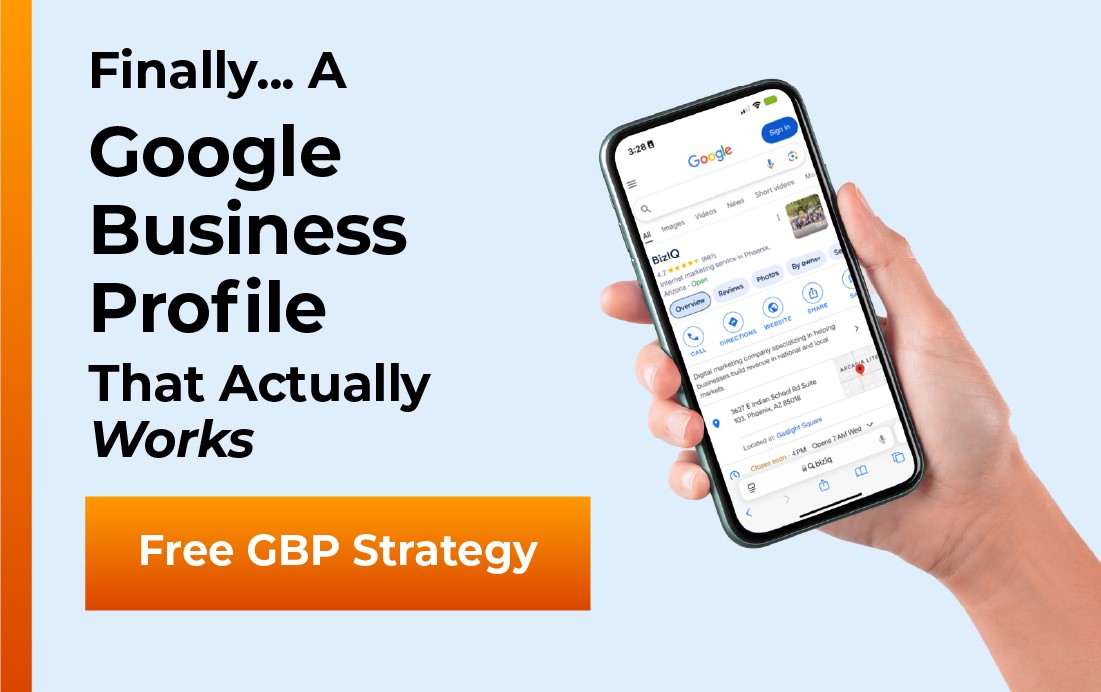
When a customer searches for a business like yours nearby, Google can show your profile with your hours, phone number, directions, photos, and star rating. For a lot of local searches, that listing is the first and sometimes only thing a customer looks at before they call or drive over. If you want to see what that looks like in a real search, here is a typical local result.
Not sure whether your listing is even live yet? Our step-by-step walkthrough on how to get a Google Business Profile covers claiming and verifying from scratch, and whether a Google My Business account is free answers the cost question in detail.
What a Business Profile does for you (website or not)
A complete profile pulls real weight in local search. The payoff is not just visibility, it is trust. People decide fast, and a filled-out listing with photos and reviews reads as a real, active business.
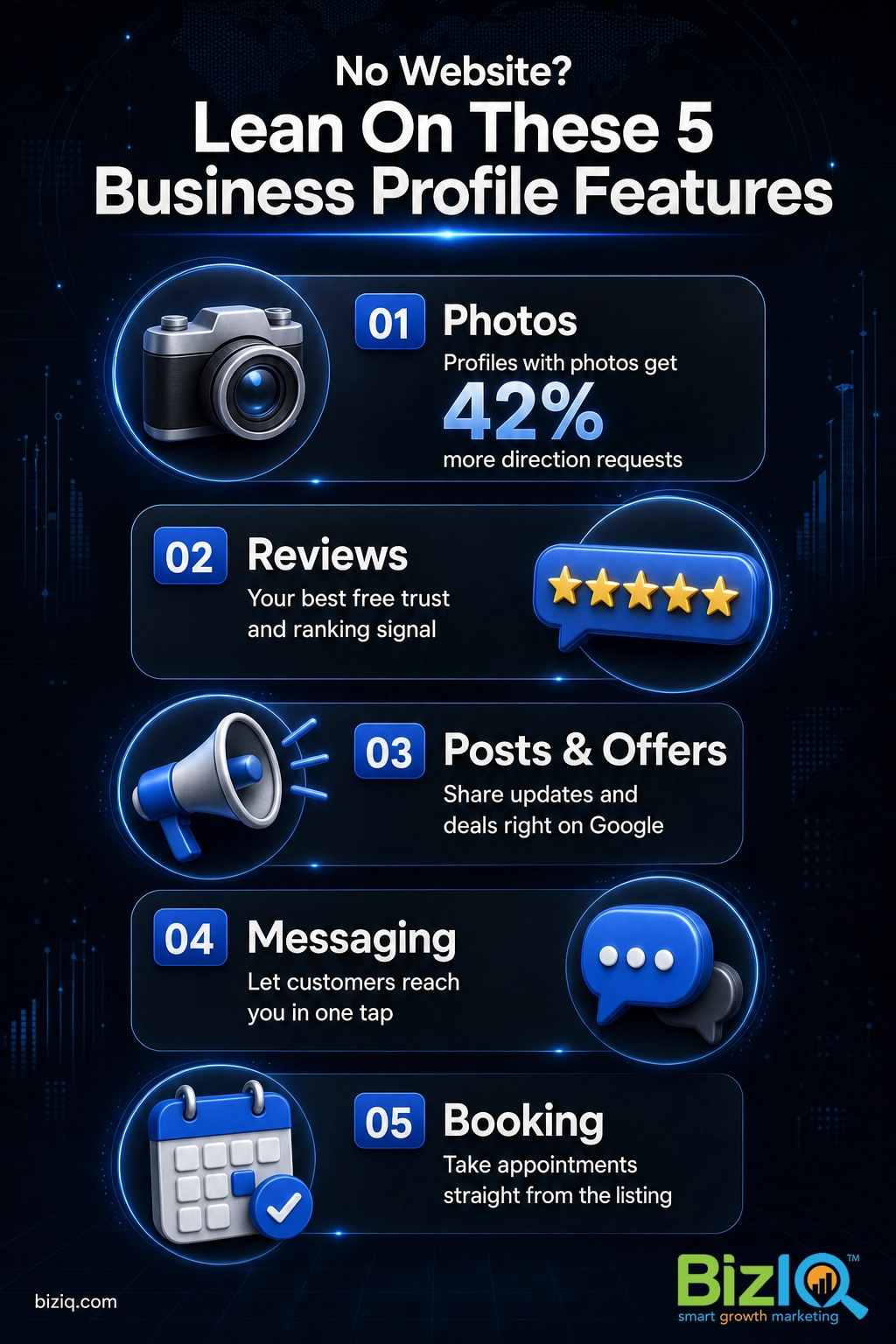
Photos matter more than most owners expect, and they matter even more when you have no website to show off your work. Google reports that profiles with photos earn far more real-world action than those without.
Here is what you can do with the profile alone, no website attached:
- Show up in Search and Maps with your name, address, phone (your NAP, short for name, address, phone), hours, and category.
- Take calls and messages directly from the listing, so a customer reaches you in one tap.
- Hand out directions to your location or let a service-area business (an SAB, a business that travels to customers) list the regions it covers.
- Collect and reply to reviews, which build trust and feed your map-pack ranking. See how to get more Google reviews for a repeatable system.
- Post updates, offers, products, and services right on the profile, so customers learn what you sell without leaving Google.
- Let customers book appointments in many categories, straight from the listing.
That is a genuinely useful free presence. For a lot of one-location service businesses, it is enough to start the phone ringing. BizIQ has helped thousands of local businesses turn that listing into real calls and leads, and our own profile carries a 4.6 star rating from 1,000+ Google reviews, the same kind of proof your listing can build over time.
Real results for real local businesses
How BizIQ clients turned their Google presence into customers.
Holloway Construction
Demolition & excavation — Jonesborough, TN
Down to their last $2,500 with no online presence, Holloway Construction had BizIQ launch a website in under 24 hours and optimize their Google Business Profile so customers could find them — and made $30,000 in 24 hours.
“BizIQ saved my business.” — Mark Holloway, Owner
Lines Sunscreens
Sun screens & shades — Arizona (since 1974)
This since-1974 family shop had relied on a street sign and word of mouth. A modern new website from BizIQ built a real online presence — and a significant surge of new customers.
“BizIQ goes above and beyond!” — Debbie, Lines Sunscreens
Where a profile-only setup falls short
Using Google Business without a website works, but it comes with real limits. Knowing them up front saves you from expecting the listing to do a job it cannot.
You compete for the map pack, not the organic results. The three map results at the top of a local search are open to profiles with no website. The regular blue-link results below them, though, almost always point to websites. Without a site, you are fighting for one lane instead of two. If getting found is your goal, you will want to track where you stand; our guide on how to check your Business Profile ranking shows how.
Backlinks are hard to earn. Backlinks are links from other websites to yours, and they are one of the strongest signals Google uses to judge authority. No website means almost nowhere for those links to land, which makes it tougher to out-rank competitors who do have a site in crowded categories.
You do not fully control the platform. Your profile lives on Google and plays by Google’s rules. Listings can be suspended, sometimes with little warning, and a profile edit can get stuck in review. A website you own is a presence no one can switch off.
If your Business Profile is your only presence online and it gets suspended, your business can vanish from Google overnight with no backup you control. Keep your profile fully compliant with Google’s guidelines, and treat a website you own as insurance against the day the listing is down.
“A Google Business Profile is basically my website.” It is not. A profile is a listing you borrow space for on Google; a website is property you own. The profile is fantastic for being found locally, but it cannot host your full service details across dozens of pages, capture leads through custom forms, send paid traffic to a dedicated landing page, or build the organic authority that compounds over years. Treat the profile as your storefront on Google and the website as the shop behind it.
Paid ads still want a landing page. The moment you run Google Ads or social ads, you generally need a page to send clicks to. A profile is where people find you organically; a website is where paid traffic converts.
How to set up and use Google Business without a website
You can get a profile-only setup live and working in an afternoon. Here is the practical sequence.
- Create or claim your profile. Go to the Google Business Profile create page, search for your business in case a listing already exists, and claim it. If nothing shows up, create a new one. When Google asks for a website, you can skip it; the field is optional.
- Pick the right category. Your primary category is one of the biggest factors in which searches you show up for, so choose the closest match, not a broad guess. Our breakdown of how to choose Business Profile categories walks through getting this right.
- Verify the business. Google confirms you really run the business, usually by postcard, phone, email, or video. Verification is required before your listing goes fully live. If you are wondering about timing, see how long verification takes.
- Fill out every field. Add your hours, phone, service area, services or menu, and a clear business description. Completeness is what earns that reputability lift from the Google data above.
- Add real photos. Upload your storefront, team, and finished work. With no website, your photos carry the visual weight, and Google ties them to more directions and clicks.
- Turn on messaging and set up reviews. Enable messaging so customers can reach you in a tap, then start asking happy customers for reviews. Reviews are your single best free ranking and trust lever.
Once the basics are in place, keep the profile active: post updates, answer questions, and respond to every review. An active profile beats a stale one. If you want a quick visual of how it all comes together, this short overview from BizIQ walks through it.
Want a second set of eyes on your listing before you compete for the map pack? A quick professional review catches the gaps that quietly hold a profile back.
Whatever happened to GBP-built websites?
For years, Google offered to build a free, basic website straight from your Business Profile, hosted on a business.site or negocio.site address. A lot of owners used it as their only web presence. Those pages are gone.
Google turned off websites made with Business Profiles in early March 2024. For a few months, the old links redirected visitors to the owner’s Business Profile, and that redirect ended on June 10, 2024. After that, the old addresses return a page-not-found error. If you ever relied on one of those mini sites, your profile itself is unaffected and still live, but the website piece no longer exists. Our rundown on the Business Profile website shutdown covers what to do if this affected you, and what a Google Business Profile website was explains the old feature.
The takeaway is simple: a profile is no longer a stand-in for a real website. If you want an owned web presence, you now build it yourself or with a partner.
Source: Google Business Profile Help.
Profile only vs. profile plus website: which is right for you?
There is no single right answer, only the right answer for where your business is today. Here is how the two setups compare.
| What you want to do | Profile only | Profile plus website |
|---|---|---|
| Show up in the local map pack | Yes | Yes, usually stronger |
| Rank in organic (blue-link) results | Rarely | Yes |
| Take calls, messages, and directions | Yes | Yes |
| Earn backlinks and authority | Very limited | Yes |
| Run ads to a landing page | No | Yes |
| Control the platform you are on | No (lives on Google) | Yes (you own the site) |
| Cost to start | Free | Free profile plus website cost |
If you are a new or single-location business testing demand, start with the profile alone. It is free, fast, and enough to get found and take calls. The moment you want to out-rank competitors, run ads, or stop depending on a platform you do not own, add a website and let the two reinforce each other. Many of the businesses that grow fastest treat the profile as the hook and the website as the close.
Ready to turn that free listing into a setup that actually competes? BizIQ builds and manages both sides for local businesses nationwide.
Get Google Business Profile help
Browse more answers in our Google Business Profile FAQ hub, or see how to capture leads with your Business Profile while you decide.
Count on them
“These folks are great! They DO what they say they DO unlike others that just promise. You can count on them.”
— Mike B.
10 stars
“I have been solicited by hundreds of people but nobody could ever compare to BizIQ's first class service and professionalism. Very fair pricing and unparalleled expertise. Couldn't be…”
— Don S.
Best SEO company
“Hands down the best SEO company in business!! Our Client Success Manager is the most honest and hard working person I have had the pleasure of working with! This company can change…”
— James H.