
Your Google Business Profile is the single best free tool an HVAC company has for turning local searches into service calls. A Google Business Profile (GBP, formerly Google My Business or GMB) is the free listing that puts your heating and cooling company in Google Maps and the local map pack, the boxed set of three businesses that shows up first when a homeowner searches something like “AC repair near me.” Set it up correctly, keep it active, and it will quietly send you jobs every week. This guide walks through exactly how to claim, build, and optimize an HVAC Google Business Profile so it outranks the shop down the road.
- Your Google Business Profile is free and is where most local HVAC jobs start, well before a homeowner clicks a website.
- Set your primary category to HVAC Contractor, hide your address if you are a service-area business, and list every city you cover.
- Photos, complete fields, and a steady flow of recent reviews are what move you into the top-three map pack.
- Post seasonally (AC tune-ups in spring, no-heat emergencies in winter) to keep the listing active and relevant.
- A complete profile makes customers far more likely to trust and visit you, so completeness is not optional.

What’s in This Guide
- Why Your Profile Is an HVAC Company’s Best Free Lead Source
- Step 1: Claim or Create Your HVAC Profile
- Step 2: Choose the Right Categories
- Step 3: Complete Every Field
- Step 4: Add Photos That Win the Click
- Step 5: Build and Respond to Reviews
- Step 6: Post Seasonally
- Step 7: Track Your Rankings and Calls
- Common Mistakes HVAC Companies Make
- Frequently Asked Questions
Why Your Profile Is an HVAC Company’s Best Free Lead Source
When a furnace quits in January or an AC unit dies during a July heat wave, homeowners do not browse. They grab a phone and search for help nearby, then call one of the first businesses they see. That first set of results is the local map pack, and your Google Business Profile is what decides whether you are in it. For an HVAC company, nearly every emergency and “near me” search runs through this box, which is why your profile often matters more than your website for generating calls.
Completeness is the difference between a listing people trust and one they scroll past. Google’s own research makes the case plainly.
That reputation boost is worth real money in a trade built on trust. A homeowner letting a technician into their house during a stressful breakdown wants to see a business that looks established, reviewed, and local. A half-finished profile with no photos and three old reviews signals the opposite, no matter how good your work is.
Real results for real local businesses
How BizIQ clients turned their Google presence into customers.
Holloway Construction
Demolition & excavation — Jonesborough, TN
Down to their last $2,500 with no online presence, Holloway Construction had BizIQ launch a website in under 24 hours and optimize their Google Business Profile so customers could find them — and made $30,000 in 24 hours.
“BizIQ saved my business.” — Mark Holloway, Owner
Signmakers
Custom signage — Los Angeles, CA
This 25-person LA sign maker — serving brands like Ferrari, Louis Vuitton, and Piaget — got the phone ringing with higher-quality clients after partnering with BizIQ.
“We definitely got the phone ringing with higher quality clients.” — Paul Stoakes, Owner
Step 1: Claim or Create Your HVAC Profile
Before you create anything, search Google for your company name and city. HVAC listings are often auto-generated by Google or left behind by a previous owner or a past marketing vendor, so a profile for your business may already exist without your knowledge. Claiming the existing one keeps any reviews and ranking history it has already built. Creating a duplicate when one exists is one of the most common and damaging mistakes in local SEO (search engine optimization).
Here is the order to work through:
- Search for an existing listing. Look for your business on Google Search and Maps. If it appears with a “Claim this business” or “Own this business?” link, start there instead of creating a new one.
- Decide your business model. Choose Service Area Business if you travel to customers (most HVAC companies), or a storefront if customers visit a showroom or office. This decision controls whether your address shows publicly.
- Enter your core details. Add your exact business name, phone number, website, and primary category (covered next).
- Verify the profile. Google confirms you are the real owner by text message, phone call, email, or postcard, and increasingly by a short video. You cannot edit most fields or appear in the map pack until verification is complete.
Step 2: Choose the Right Categories
Categories tell Google which searches you should appear for, so they are the highest-impact setting on the whole profile. Your primary category carries the most weight. For almost every heating and cooling company, that primary category should be HVAC Contractor. Then add secondary categories for the specific services you offer so you surface for those searches too.
| Category role | Recommended category | When to use it |
|---|---|---|
| Primary | HVAC Contractor | Almost always your primary; broadest HVAC relevance |
| Secondary | Air Conditioning Contractor | You install or repair cooling systems |
| Secondary | Heating Contractor | You service furnaces, boilers, or heat pumps |
| Secondary | Furnace Repair Service | Furnace repair is a core offering |
| Secondary | Air Conditioning Repair Service | AC repair is a core offering |
| Secondary | Air Duct Cleaning Service | You offer duct cleaning or indoor air quality work |
Choosing categories well is worth real study, since the wrong primary can keep you invisible for your best searches. For a deeper walk-through of every option and how to pick, see our full guide to how to choose Google Business Profile categories.
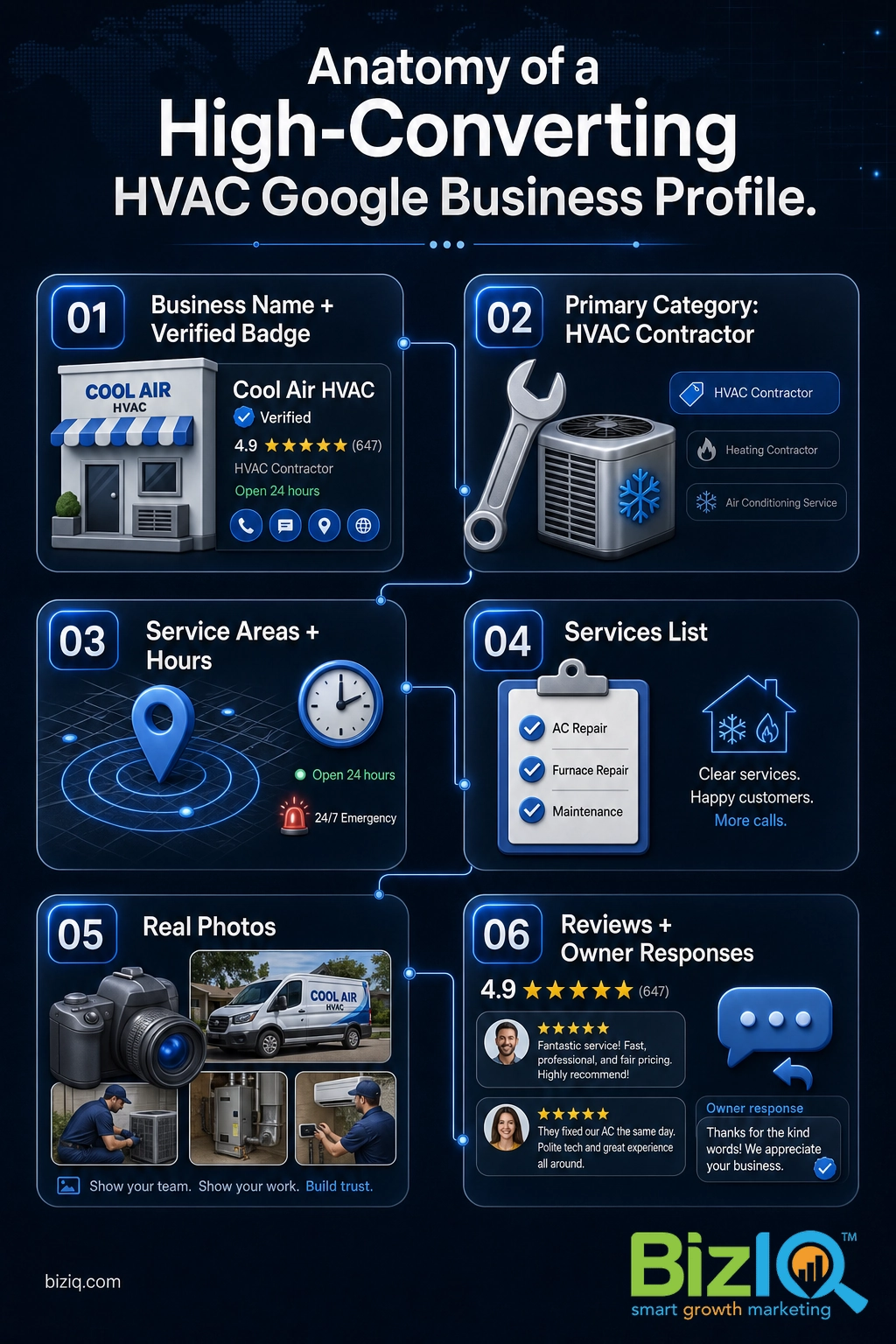
Step 3: Complete Every Field
A profile that wins leaves no field blank. Google uses completeness as a trust and ranking signal, and every empty field is a question a homeowner has to answer somewhere else, usually on a competitor’s listing. Work through all of it:
- NAP (Name, Address, Phone): make your business name, address, and phone number exactly match what appears on your website and other directories. Inconsistent NAP data is a quiet ranking killer in local SEO.
- Hours: set accurate regular hours, plus holiday hours and any 24/7 emergency availability. If you take after-hours emergency calls, say so, because that is often the deciding factor at 11 p.m.
- Service areas: list the specific cities and neighborhoods you cover.
- Services: add each service individually (AC repair, AC installation, furnace repair, heat pump service, maintenance plans, indoor air quality) with a short description each. For the full process, see how to add services to your Google Business Profile.
- Business description: Google gives you up to 750 characters. Use them to describe your company, your service area, and what makes you the obvious local choice, working in natural phrases like “AC repair” and your city without stuffing keywords.
Everything in this section applies to any trade that goes to the customer. If you also do related work or want the broader picture, our guides to Google Business Profile for contractors, plumbers, and roofers cover the same framework for neighboring trades.
See how BizIQ helps HVAC companies grow online
Step 4: Add Photos That Win the Click
Photos are not decoration. They are proof, and Google measures the result.
For an HVAC company, the photos that convert are the real ones: your branded trucks, your uniformed technicians, before-and-after shots of installs, clean work in a customer’s home, and the team. Skip the generic stock images of shiny equipment; homeowners can tell, and real photos of your crew build the trust that turns a profile view into a phone call. Add new photos regularly, since fresh images keep the listing active and give returning searchers something new to see.
Step 5: Build and Respond to Reviews
Reviews are the loudest trust signal on your profile and a direct ranking factor for the map pack. The volume, recency, and keywords in your reviews all feed how Google ranks you, and they heavily influence whether a homeowner calls you or the company below you.
Build a simple, repeatable habit: ask every happy customer for a review the day the job is done, when their relief and gratitude are highest. Make it effortless by texting or emailing your review link and printing a QR code on invoices and truck magnets. Then respond to every review, positive and negative, because public, professional responses show prospects how you treat customers. For a full playbook, read how to get more Google reviews and how to respond to reviews with examples.
Reviews work. Here is what a steady, well-managed review program looks like when it compounds:
Step 6: Post Seasonally
Google Posts let you publish short updates that appear right on your profile. For HVAC, the winning move is to tie posts to the calendar, because demand is seasonal and so should your messaging be. Posting regularly also keeps the listing active, which is itself a positive signal.
| Season | What to post | Why it works |
|---|---|---|
| Spring | AC tune-up and maintenance reminders | Catches homeowners before the first hot day |
| Summer | Same-day and emergency AC repair availability | Meets peak urgency when units fail in the heat |
| Fall | Furnace inspections and heating safety checks | Pre-season demand before the first cold snap |
| Winter | No-heat emergency service and financing offers | Captures high-stress, high-intent searches |
Keep each post short, lead with the offer or the season’s pain point, and refresh them often. For cadence specifics, see how often you should post on Google Business Profile.
Step 7: Track Your Rankings and Calls
Once your profile is live and optimized, measure what it produces. The built-in performance tools show how many people found you, how many called, requested directions, or visited your website, and which searches triggered your listing. Those numbers tell you which services and seasons drive real calls so you can double down.
Beyond the built-in data, track where you actually rank in the map pack for your money terms, like “AC repair” and “furnace repair” plus your city. Rankings shift with proximity and competition, so check them regularly. Our guide to checking your Google Business Profile ranking covers how to do it accurately.
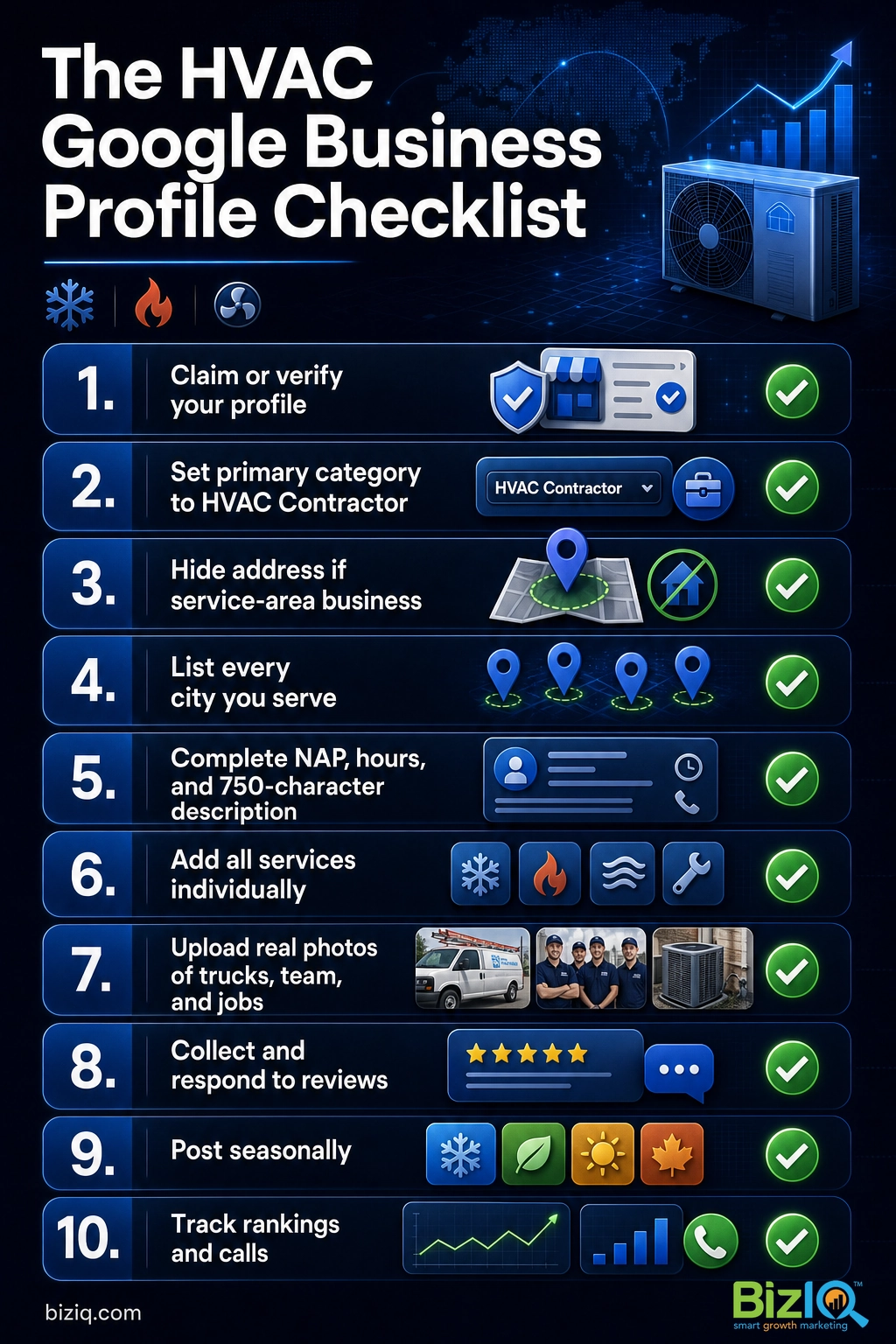
Use this checklist to confirm your profile is working as hard as it should before you move on.
Common Mistakes HVAC Companies Make
Worth every penny!
“BizIQ is awesome! Our Client Success Manager goes above and beyond to meet our needs! We've had increased business since implementing our website. Plus our Google presence has gotten…”
— Amy A.
Would highly recommend
“Outstanding service is the only word that comes to mind. My Client Success Manager made this whole process so smooth and easy, she was and is very patient and knowledgeable and just a…”
— Richard M.
Exceeded my expectations
“I have owned my business for 36 years and have advertised in different markets through the years. My decision to work with BizIQ has met and exceeded my expectations. In this day of…”
— Neal H.
Let BizIQ Handle Your HVAC Profile
Done right, your Google Business Profile runs like a second salesperson who never clocks out. Done halfway, it hands your best leads to the company ranked above you. If you would rather be on a roof than wrestling with categories, verification, and review requests, that is exactly the work BizIQ does for local service businesses every day. We have spent 10+ years (since 2013) helping small businesses get found, and our Local Marketing Guarantee promises first-page placement in Google’s local map results or organic search within 60 days of starting services, for at least two keyword phrases that each include a local geo tag (such as “AC repair in Phoenix”), on eligible packages.
Explore BizIQ’s local SEO services