Short answer: most Google Business Profile verifications finish somewhere between a few minutes and 5 business days, and the exact timing depends on the method Google assigns you. Phone, text, and email codes usually work in minutes. Video recording and live video call reviews can take up to 5 business days, which is the longest window Google’s own help pages describe. Postcard verification is the slow one, because Google says most mailed codes arrive within 14 days before you even enter them. A Google Business Profile (GBP) is your free business listing on Google Maps and in local search, and verification is what proves the business is really yours so the profile can go live.
- Expect minutes for phone, text, or email codes, and up to 5 business days for a video review, which is Google’s stated review window.
- Postcard is slowest: Google says most codes arrive within 14 days, then you still have to enter the code.
- You cannot pick your method. Google assigns it based on your business, address, and account history.
- Editing your name, address, or category while verification is pending can invalidate the code and restart the clock.
- Once verified, Google emails you a confirmation, and your profile becomes eligible to show in local results.
What’s in This Guide
The Short Answer, in Plain English
When you finish the verification steps, Google reviews what you submitted and then flips your profile to verified. For the fast methods, that happens almost immediately. For methods that need a human or a mailed card, it takes longer. Google’s help pages put the review itself at up to 5 business days, so if you are inside that window, nothing is wrong. You are simply waiting on Google.
That figure is the one to anchor your expectations to. Some owners verify in two minutes with a text message and assume everyone does, then panic when their video sits “in review” for three days. Both are normal. The method decides the speed. Source: Google Business Profile Help.
How Long Each Verification Method Takes
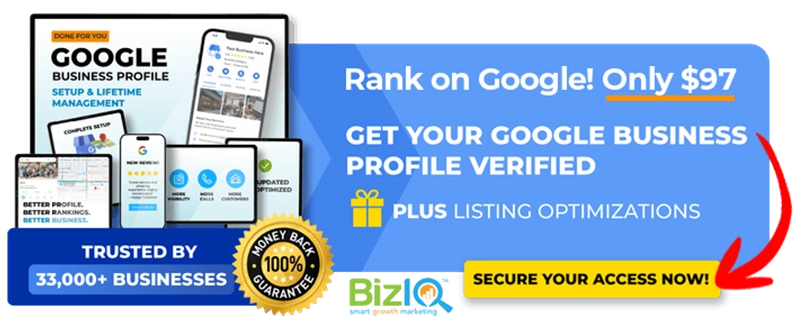
Here is the part most owners actually want: the timing for every method Google uses, from fastest to slowest. One important note before the table. You do not get to choose your method. Google assigns the options based on your business type, address, and account history, so you work with whatever it offers you.
| Method | Typical timing | What to know |
|---|---|---|
| Instant (Search Console or bulk) | Immediate | Only for eligible businesses, such as ones with a website already verified in Google Search Console |
| Phone or text | Minutes | You must be able to answer the call or read the text on the listed number; codes expire quickly |
| Minutes to a few days | You must have access to the email address Google shows on the verification screen | |
| Video recording | Up to 5 business days | You upload a video, then Google reviews it within its stated window |
| Live video call | Same session | Resolved on the call, but calls are only offered during your location’s business hours |
| Postcard (mail) | Most codes arrive within 14 days | The slowest route; you enter the code after the card arrives, and codes expire after 30 days |
If your options are phone, text, or email, you are in luck, because those are close to instant. Video is the most common assignment now and is where the “up to 5 business days” wait usually comes from. For a full walkthrough of each step, our step-by-step verification guide covers the screens in order, and if you were assigned the camera method, see our deeper look at video verification. Source: Google Business Profile Help.
The postcard is the one that tests your patience
Mailed postcards still show up for some listings, and they are the reason verification sometimes feels like it takes forever. Google says most codes arrive within 14 days, but that is mail time before any review even starts. If a card never arrives, you can request a new one, but doing so cancels the first code. Our breakdown of postcard verification explains what to do while you wait. If you manage several locations, bulk verification can skip the per-listing wait entirely for eligible chains.
What “We’re Verifying Your Business” Actually Means
After you submit, you may see a message that Google is verifying or processing your business. That status simply means the steps are done and your information is in Google’s review queue. You do not need to do anything, resubmit anything, or contact anyone yet. The review is the up-to-5-business-days part, and Google sends a confirmation email the moment your profile is verified.
The most common mistake at this stage is poking at the profile. Every edit you make to your name, address, or category while verification is pending can invalidate the code Google already sent and push you into a fresh review. The fastest path through “processing” is to leave it alone and watch your inbox.
Not sure whether your profile is already verified or still waiting? Our guide on how to check whether your profile is verified shows you exactly where to look.
Why Getting Verified Is Worth the Wait
Verification is not a formality. An unverified profile cannot be managed or trusted by Google, so it will not win the local map results, the block of three businesses pinned under a map that most people click first. Once you are verified, a complete profile starts doing real work for you: more calls, more direction requests, and more people choosing you over a competitor.
Google’s research with Ipsos also found that a complete profile makes customers 2.7 times more likely to consider a business reputable and 50% more likely to consider buying from it. In other words, the few days you spend verifying unlock the single best free local-visibility tool a small business has. For the wider numbers, see our roundup of Google Business Profile statistics. Source: Google Business Profile (Google / Ipsos).
Think of verification as the key that turns the engine on. The wait feels long when you are staring at it, but it is a one-time cost. What matters far more is what you do in the weeks after, when a complete, active profile is what actually climbs the map. We have helped small businesses get found on Google since 2013, and our own profile sits at 4.6 stars from 1,000+ Google reviews, which is the kind of track record both Google and customers reward.
Real results for real local businesses
How BizIQ clients turned their Google presence into customers.
Holloway Construction
Demolition & excavation — Jonesborough, TN
Down to their last $2,500 with no online presence, Holloway Construction had BizIQ launch a website in under 24 hours and optimize their Google Business Profile so customers could find them — and made $30,000 in 24 hours.
“BizIQ saved my business.” — Mark Holloway, Owner
New Image by Hilary
Cosmetic enhancement services
A previous agency had her competing against herself, so customers couldn’t find her. BizIQ won a $3,000 refund, then built an optimized site with local keyword research — now customers find her again straight from a Google search.
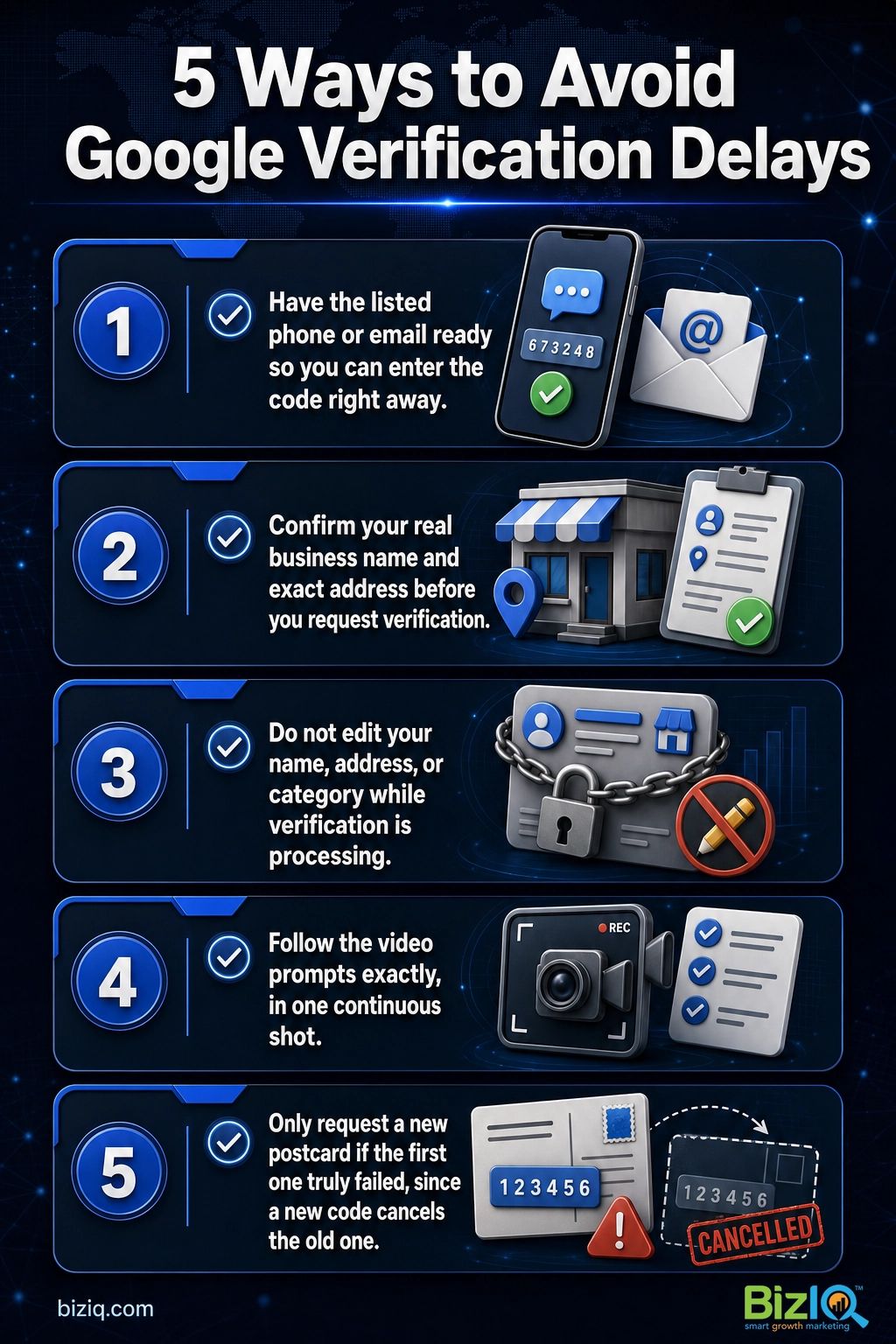
How to Avoid Verification Delays
You cannot change the method Google assigns, but you can keep a fast method fast and stop a slow one from stalling. A few habits prevent most of the “why is this taking so long” cases we see.
- Have your contact ready. If you are offered phone, text, or email, make sure you can access that exact number or inbox right now, because codes expire quickly.
- Get your details right first. Enter your real, registered business name and exact address before you request verification, so nothing needs changing mid-review.
- Do not edit while it processes. Changing your name, address, or category during the review can invalidate the code and restart the clock.
- Follow the video prompts exactly. If you are recording a video, film what Google asks for in one continuous shot, so it is not rejected and sent back.
- Only request a new postcard if the first truly failed. A new code cancels the old one, which can set you back another two weeks.
A myth worth killing: paying Google, running ads, or hiring an agency does not make verification faster. Nothing speeds up Google’s review itself. Anyone promising instant verification for a fee is selling something Google does not offer. What a good partner does is set the profile up correctly the first time so it is not rejected or delayed.
What to Do if Verification Is Stuck
If you are well past 5 business days on a video, or past 14 days waiting on a postcard, it is reasonable to treat it as stuck. First, double-check the basics: the code was entered correctly, your business details have not changed, and the code has not expired. If everything looks right and the profile still will not verify, it is time to reach a human. Our guide on how to contact Google Business Profile support walks through the fastest routes to a real person.
A stalled verification sometimes points to an older issue, such as a duplicate listing or a profile that needs to be claimed from a previous owner. If Google asks you to re-verify an existing listing, that is usually a trust or account change, not a mistake you made.
When Your Profile Shows Up After Verifying
Here is a distinction that saves a lot of confusion. Verified does not automatically mean visible. Verification makes your profile eligible to appear in Google Maps and local search. Actually ranking there is a separate process that builds over time. Many profiles become visible for their own business name within a few days of verifying, and local ranking for the searches that bring customers, the “near me” and service queries, strengthens over the following weeks as you complete every field, add real photos, and collect reviews.
If verification is your first step, the next one is making the profile genuinely competitive. That is ongoing work, and it is exactly what our local SEO services handle for small businesses so the profile does not just exist, it wins the map. For quick answers on everything else profile-related, our Google Business Profile FAQ is a good next stop.
Get your Google Business Profile set up and verified for $97
BizIQ delivers!
“I am very impressed with the service BizIQ delivers! Not only are my calls with them informative but they have patience and suggestions for me. BizIQ is taking the time to show me they…”
— Cindy M.
Response has been terrific
“I'm not sure why I tried BizIQ instead of the other 500 Google solicitation calls I get but I'm so glad I did! They are very professional and have taken over our neglected Google…”
— Mark E.
The right job
“BizIQ is providing the data my business needs to grow. I can tell from customer leads that they are doing the right job. My Client Success Manager is providing the skill and patience I…”
— Mark B.
Common Questions About Google Business Verification
How long does Google Business Profile verification take?
What does it mean when Google says it is processing my verification?
How long does Google video verification take?
How long does postcard verification take?
When will my Google Business Profile show up in search after I verify?
Can I speed up Google Business verification?
What should I do if my Google verification is taking too long?
Does editing my profile reset Google verification?
Sources
Verification review window, methods, and postcard timing: Google Business Profile Help (Verify your business on Google). Customer-action and profile-completeness figures: Google Business Profile (Google / Ipsos). BizIQ review rating verified from our live Google reviews.