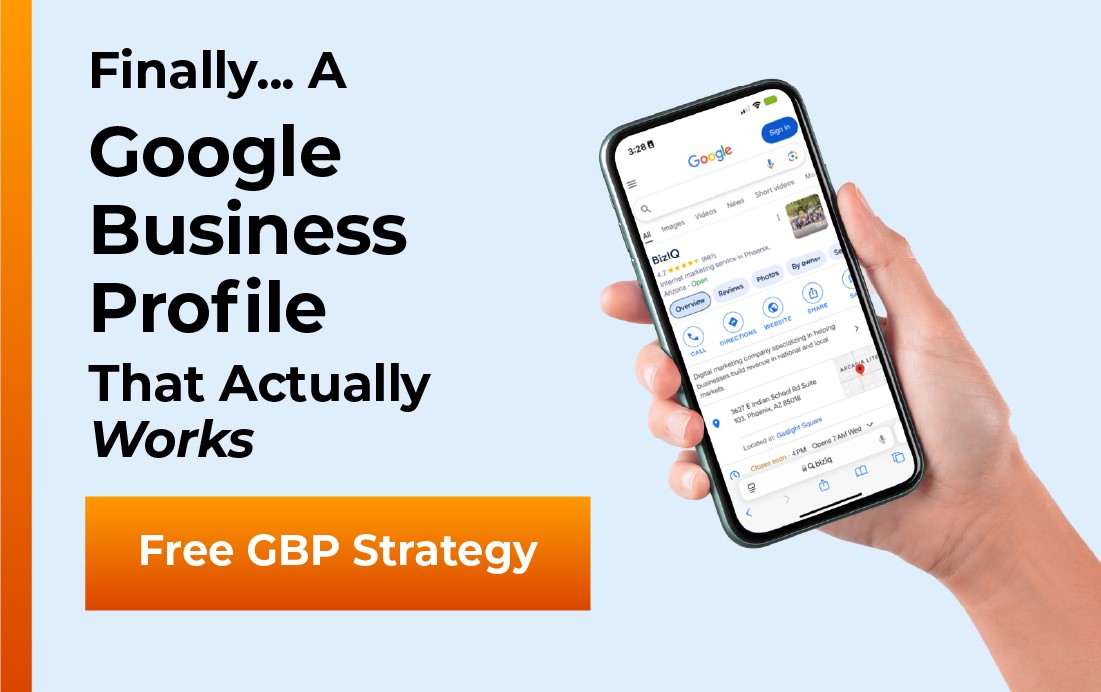
A Google Business Profile (GBP) is the free listing Google shows for your law firm in Search and Maps, with your name, practice areas, office location, reviews, photos, and a click-to-call button. For a lawyer, it is the single most important free marketing asset you have, because when someone searches for “divorce attorney near me” or “personal injury lawyer” in your city, your profile is usually the first thing they see, before your website and before any ad.
This guide is written for attorneys and firm owners, not marketers. It covers what a Google Business Profile is for a law firm, what it looks like to a potential client, the parts it is built from, how to set it up and verify it, how to optimize it for local search, and the advertising rules you need to respect so your profile stays compliant with your state bar. If you have heard the older term “Google My Business” and wondered whether it is the same thing, it is, and we will clear that up along the way.
- A Google Business Profile is the free Google listing that puts your law firm in the local map pack, on Google Maps, and in the knowledge panel.
- Your primary category should be your main practice area, such as Personal injury attorney, not the generic “Law firm.”
- Google ranks local results on relevance, distance, and prominence, and a complete, active, well-reviewed profile improves all three.
- Reviews and replies build the trust that wins clients, but they must follow your state bar’s advertising and confidentiality rules.
- Your profile is a lawyer communication, so keep every claim accurate and avoid restricted terms like “specialist” unless you are certified.
What’s in This Guide
- Why a Google Business Profile Matters for Law Firms
- What a Lawyer’s Google Business Profile Looks Like
- The Parts of a Law Firm’s Profile
- Choosing the Right Categories and Practice Areas
- How to Set Up and Verify Your Firm’s Profile
- How to Optimize a Law Firm Profile for Local Search
- Lawyer Advertising Rules and Your Profile
- Frequently Asked Questions
- Keep Learning About Local Search
Why a Google Business Profile Matters for Law Firms
Legal work is local and high-stakes. Someone who needs a lawyer is rarely browsing for fun, they have a problem that just became urgent, and they turn to Google to find help nearby. The results they act on first are the local map pack and the Business Profiles behind it, not the ten blue links below. If your firm is not there with a complete profile, a competitor two blocks away gets the call you should have gotten.
That reputation signal matters even more for lawyers than for most businesses, because clients are choosing someone to trust with a divorce, an injury claim, or a criminal defense. A thin or unclaimed profile reads as “this firm is not paying attention,” which is the opposite of what an anxious client wants to see. A complete, professional profile does the quiet work of looking established and reachable before a single word is exchanged.
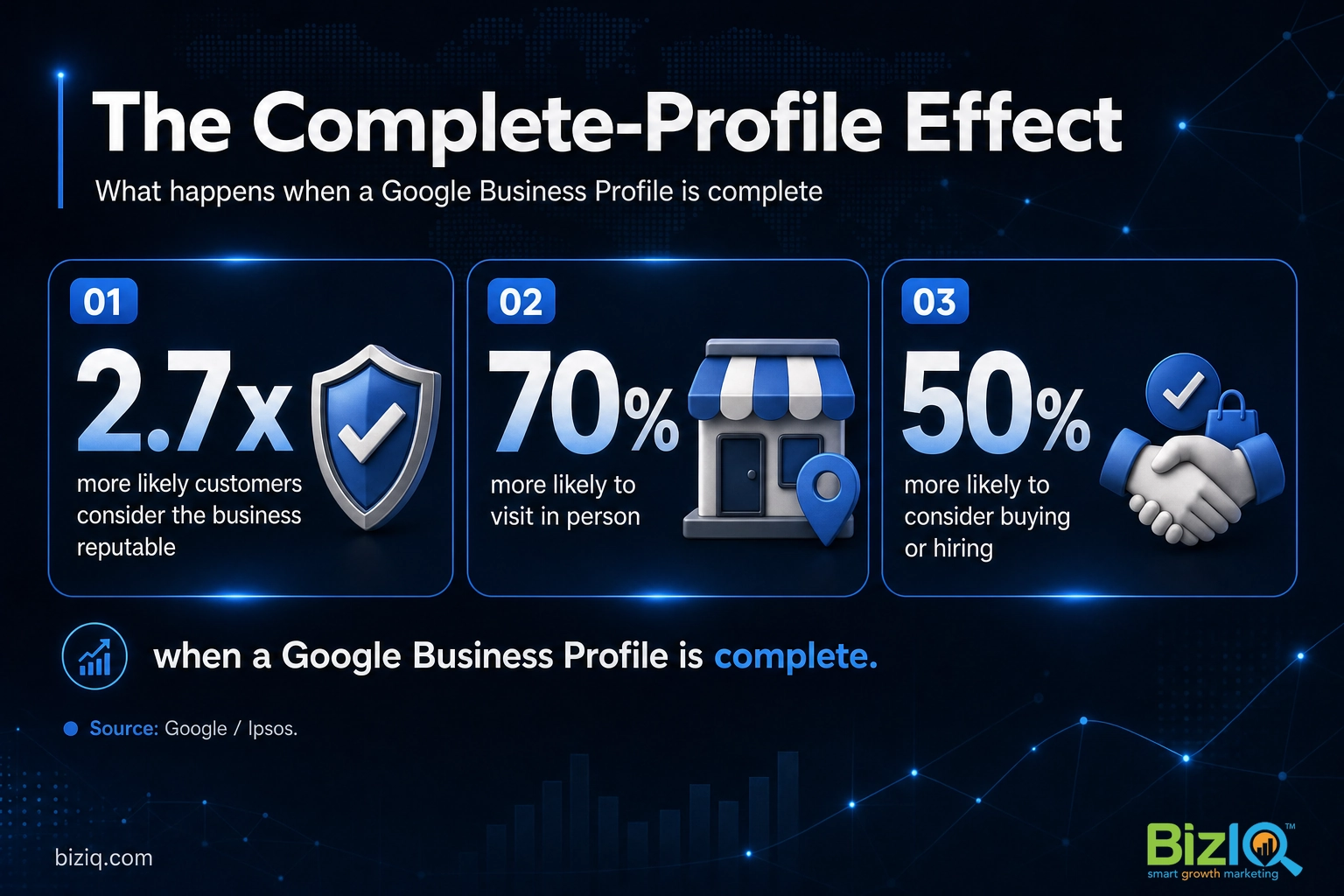
It is also one of the few genuinely free marketing channels a firm still has. You do not pay Google for the listing, the reviews, the posts, or the calls and direction requests it sends you. For a solo attorney or a small firm watching every dollar, a well-run profile is one of the highest-return hours you can spend.
Source: Google Business Profile
Real results for real local businesses
How BizIQ clients turned their Google presence into customers.
Holloway Construction
Demolition & excavation — Jonesborough, TN
Down to their last $2,500 with no online presence, Holloway Construction had BizIQ launch a website in under 24 hours and optimize their Google Business Profile so customers could find them — and made $30,000 in 24 hours.
“BizIQ saved my business.” — Mark Holloway, Owner
Rosalia’s Mexican Restaurant
Restaurant — Orangeburg, SC
An out-of-date Google Business Profile was sending customers to competitors. BizIQ revamped the website and optimized their GBP so patrons can easily find them online, see the latest deals, and read reviews.
“They make us louder, they help us demand attention, and we get it.” — Kim, Owner
Those are not hypotheticals. Local firms and service businesses win real clients when their profile is complete and active, and the next few sections show exactly how to get yours there.
What a Lawyer’s Google Business Profile Looks Like
Most people use a Business Profile without ever knowing it has a name. For legal searches it shows up in three main places, and seeing them from the client’s side makes the rest of this guide easier to picture.
The local map pack. Search “estate planning lawyer” plus a city and Google shows a small map with three ranked firms below it. That block is the local pack, and each entry is pulled from a Business Profile. It is the most valuable real estate in local search because it sits above the organic results and carries the star ratings people scan first.
The Google Maps listing. Open Maps, search a firm, and tap the pin. The panel that slides up, with photos, hours, reviews, and a Directions button, is the same profile shown in a Maps layout. Clients use this to confirm you are real, close, and open.
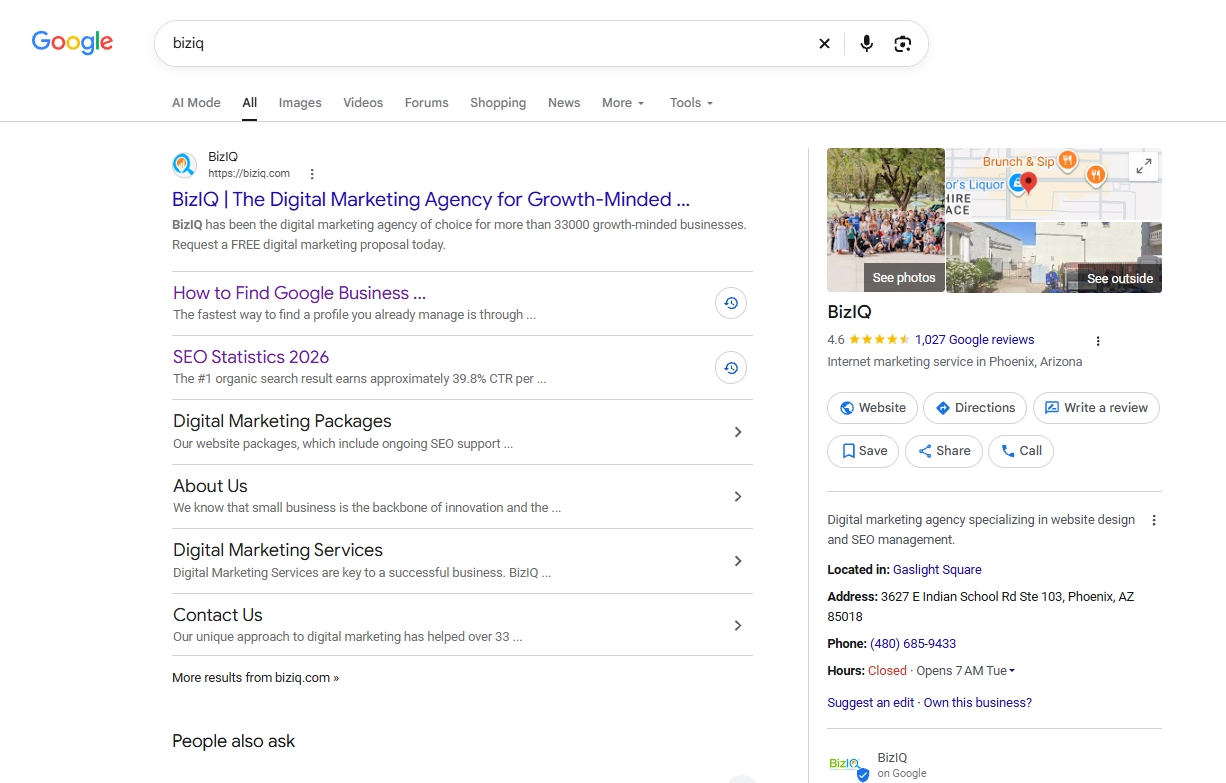
The knowledge panel. Search a firm by name on a desktop and a box appears on the right with the firm’s details, rating, and action buttons. That box is the profile rendered as a knowledge panel, and it is often the first impression of your brand name.
Same profile, three views. Whatever a prospective client taps, the information comes from the one listing you control.
The Parts of a Law Firm’s Profile
A profile is more than a name and a pin. It is a set of fields and features, and each one is a chance to answer a client’s question or move them to call. Here is what a law firm’s profile is built from, and what to put in each part.
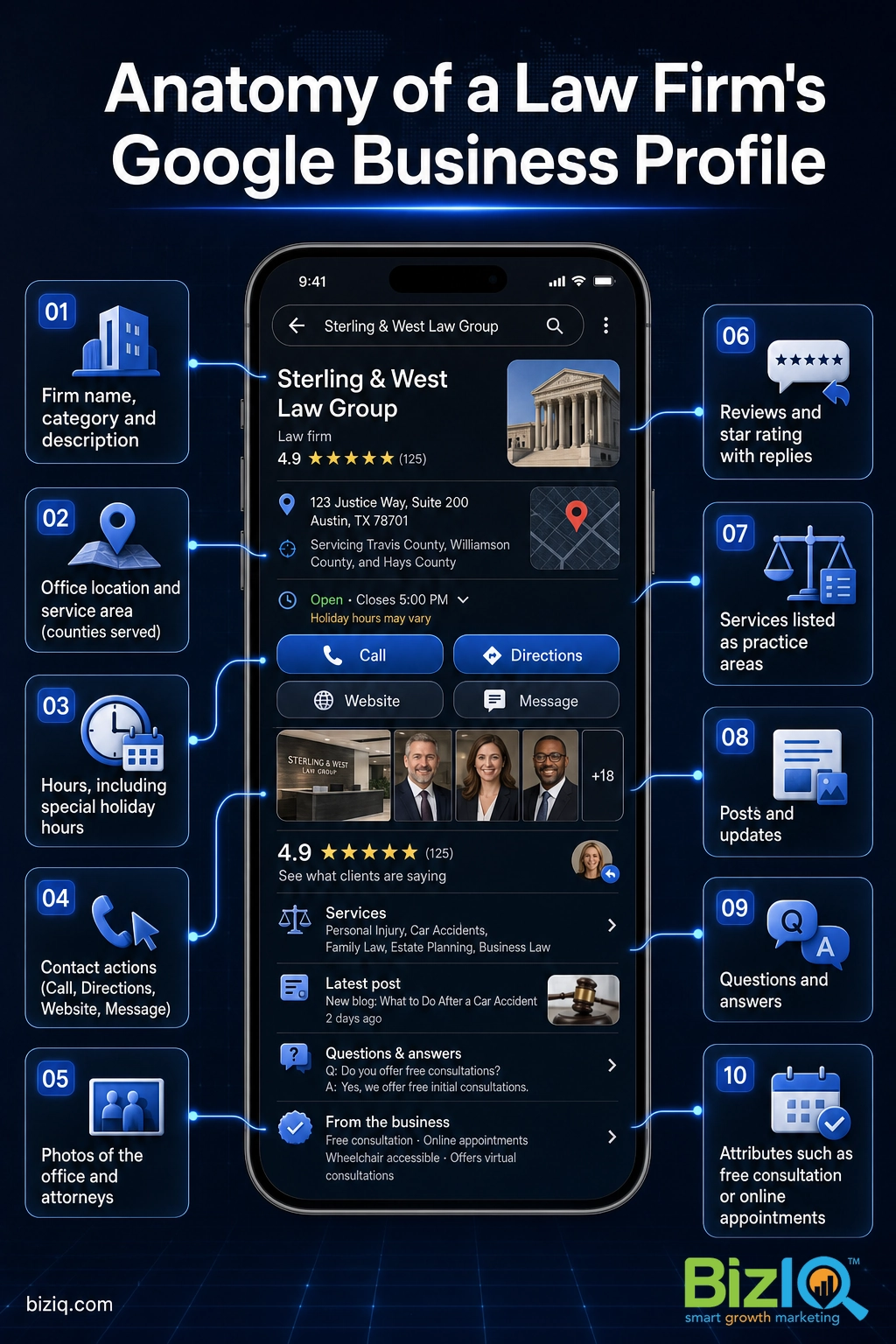
- Firm name, category, and description. Your real firm name exactly as it appears on your signage and bar registration, your primary practice-area category, and a plain-language summary of who you help and where.
- Location and service area. A street address for your office, plus the counties or cities you serve if clients come to you from a wider region. A real, staffed address is required; a virtual office or a UPS box can get a profile suspended.
- Hours. Regular hours and special holiday hours, so an injured caller is never sent to a dark office or voicemail without warning.
- Contact actions. Click-to-call, a Directions button, your website link, and messaging if you can staff it. For a law firm, the call button is the lead.
- Photos and video. Your office, your attorneys, and your team. Faces build trust for a service as personal as legal representation.
- Reviews and ratings. Client reviews, your star average, and your public replies, which clients read closely before they commit.
- Services. Your practice areas listed out, each with a short description, so the profile matches more of the specific things people search.
- Posts and updates. Short updates on results, community work, new attorneys, or seasonal legal reminders.
- Questions and answers. A public Q&A section where anyone can ask. Seed it with your own common client questions and answer them first.
- Attributes. Tags like “online appointments,” “wheelchair accessible,” “identifies as women-owned,” or “free consultation” that help you match specific searches.
Every empty field is a question you are leaving unanswered, and for a law firm an unanswered question is a client who quietly moves to the next result.
Choosing the Right Categories and Practice Areas
Categories are where most law firm profiles go wrong. Google uses your primary category as a major relevance signal, so a generic choice costs you rankings for the searches that actually bring clients.
The common mistake is picking the broad “Law firm” category and stopping there. Google offers dozens of specific legal categories, and the right one is the practice area that drives most of your business. If personal injury is your bread and butter, your primary category should be Personal injury attorney, not Law firm. You can then add secondary categories for your other real practice areas, such as Divorce lawyer, Criminal justice attorney, or Estate planning attorney.
Set your primary category to your single strongest, most profitable practice area, then add secondary categories only for areas you genuinely practice and want more of. Do not add categories for work you rarely take, because it pulls your relevance in directions you do not want to rank.
List each practice area under the Services section too, with a short, honest description of what it covers. This is not about stuffing keywords, it is about giving Google and the client an accurate map of what you do. A firm that clearly signals “we handle workers’ compensation in this county” will out-rank a vaguer competitor for exactly that search.
Source: Google’s official local ranking guidance
How to Set Up and Verify Your Firm’s Profile
Getting started is straightforward, and you can do most of it in an afternoon. The real work is keeping the profile complete and active afterward.
- Create or claim the profile. Search for your firm on Google. If a profile already exists, claim it. If not, create one. Our walkthrough on how to create a Google Business Profile covers each screen.
- Choose your primary category. Select your main practice area as described above. This is one of the most consequential settings on the whole profile.
- Add your address and service area. Enter your real office address and the counties or cities you serve.
- Verify the profile. Complete Google’s verification, usually by video, phone, email, or postcard, so your profile can rank and you can edit it. A profile cannot compete until it is verified. Our step-by-step verification guide walks through each method.
- Fill out everything. Hours, a real description, every relevant service, and a full set of photos of your office and team. Leave nothing blank.
If that sounds like more than your billable hours leave room for, that is exactly the kind of work BizIQ handles for small firms every day, setting up, verifying, and optimizing profiles so they work the way Google rewards.
Have BizIQ set up your law firm’s Google Business Profile
If you would rather see the process before you decide, this short overview walks through what goes into getting a profile set up and working for a local business.
How to Optimize a Law Firm Profile for Local Search
Setup gets you listed. Optimization gets you found. Once the profile is live and verified, a handful of habits move you up the map pack and keep you there.
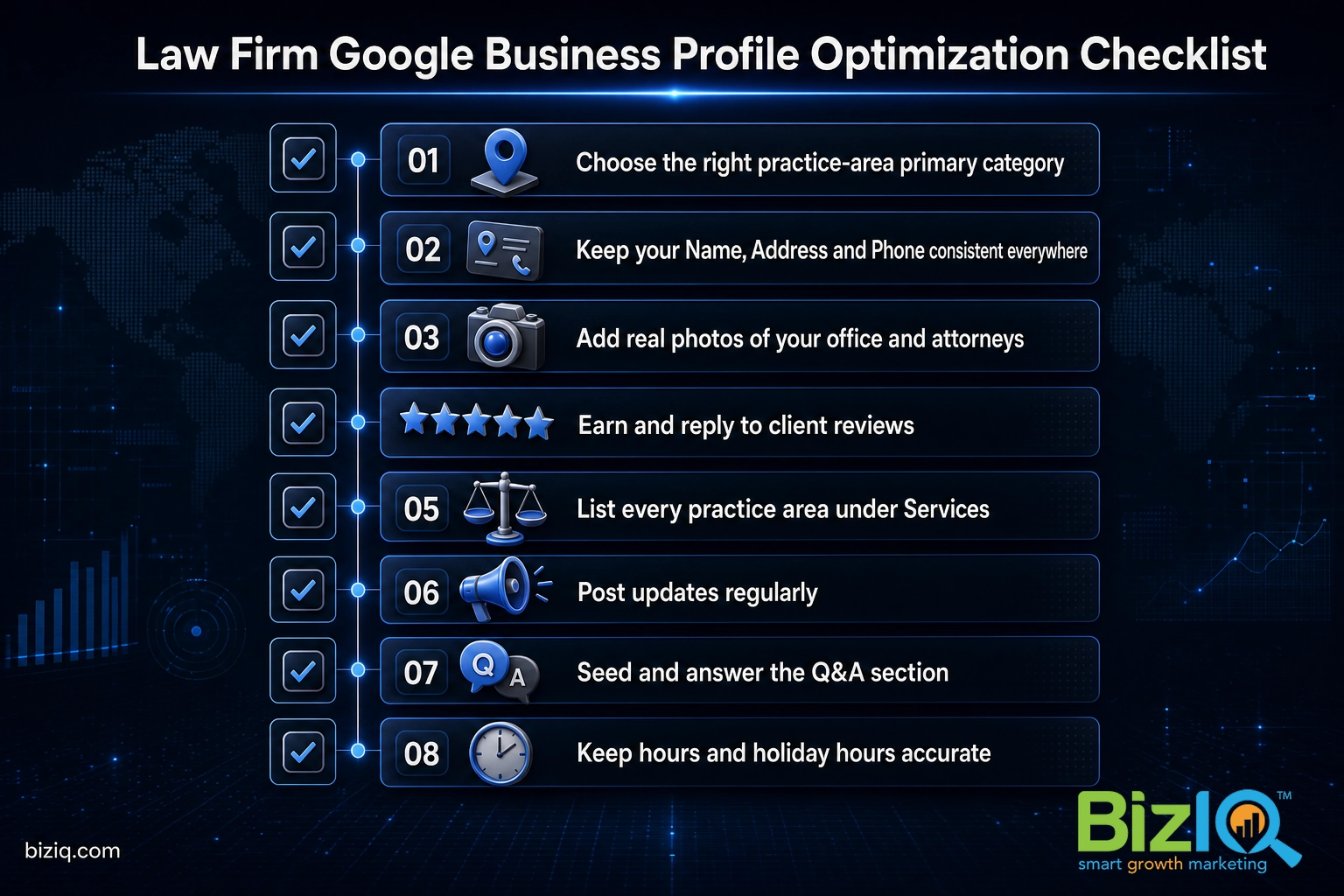
Keep your name, address, and phone number consistent. Your NAP (Name, Address, Phone) must match exactly across your website, legal directories, and every other listing. Inconsistent details confuse Google and drag your rankings down. This consistency is the backbone of local SEO (search engine optimization), the practice of helping your firm show up when people search.
Add photos regularly. Photos are not decoration, they drive action, and they are one of the easiest wins for a law firm that usually has none.
Source: Google Business Profile
Earn and answer reviews. Reviews build the star rating clients judge you by in a split second, and they feed the prominence signal that helps you rank. Ask satisfied clients at the natural close of a matter, and reply to every review, good or bad, in a professional and confidential way. Our guide on how to get more Google reviews has a repeatable system, and the deeper tactics live in our profile optimization guide for local SEO.
Post and stay active. A profile that posts updates, adds photos, and answers questions signals a real, running firm. Activity is a ranking factor and a trust factor at once.
The firms that win local search are rarely the biggest or the oldest. They are the ones with the most complete, most active, best-reviewed profiles. Filling every field and replying to every review is unglamorous work, and that is exactly why so few competitors keep it up, which leaves the top of the map pack open for the firm that does.
Lawyer Advertising Rules and Your Profile
Here is the part generic Business Profile guides skip, and the part that matters most for you. A Business Profile is a communication about a lawyer’s services, which means it is advertising, and it falls under your professional conduct rules.
The American Bar Association’s Model Rules of Professional Conduct prohibit false or misleading communications about a lawyer’s services, and most state bars layer their own advertising requirements on top. Your profile has to live inside those rules just like a billboard or a TV spot does.
Do not stuff keywords into your firm name on the profile (for example “Best Injury Lawyers Phoenix”) when that is not your real registered name, because it violates both Google’s naming policy and bar rules and can get the profile suspended. Avoid unverifiable superlatives like “best” or “number one.” Be careful with “specialist,” “expert,” or “certified” claims, which several states restrict to lawyers who hold a recognized board certification. When in doubt, describe what you do plainly and truthfully.
Two more legal-specific cautions. First, use a real, staffed office address, not a virtual office or a home you do not meet clients at, because Google verifies physical presence and bars often have their own office rules. Second, keep client confidentiality in your review replies; never confirm someone was a client or discuss a matter, even to defend yourself against a bad review. A short, professional, general reply is always the safe response.
Source: ABA Model Rules of Professional Conduct
Done right, a profile is also the natural front door to the rest of your local marketing. If you want help making your whole online presence work together, BizIQ’s digital marketing for law firms covers the profile, the website, and the reviews as one system.
Reviews are where all of this becomes visible to the next client. A steady stream of recent, well-answered reviews is the clearest proof that a firm is active and trusted, and it is the first thing a prospective client reads before they call.
Count on them
“These folks are great! They DO what they say they DO unlike others that just promise. You can count on them.”
— Mike B.
10 stars
“I have been solicited by hundreds of people but nobody could ever compare to BizIQ's first class service and professionalism. Very fair pricing and unparalleled expertise. Couldn't be…”
— Don S.
Best SEO company
“Hands down the best SEO company in business!! Our Client Success Manager is the most honest and hard working person I have had the pleasure of working with! This company can change…”
— James H.
Frequently Asked Questions
Do law firms need a Google Business Profile?
What is the best Google Business Profile category for a lawyer?
Is Google My Business the same as Google Business Profile for lawyers?
Can each attorney at a firm have their own Google Business Profile?
How do lawyers get more Google reviews without breaking ethics rules?
Does a Google Business Profile help a law firm rank higher on Google?
What are the advertising rules for a law firm’s Google Business Profile?
Keep Learning About Local Search
A Google Business Profile is the foundation of a law firm’s local marketing, and there is always more to tune. These guides pick up where this one leaves off:
- Google Business Profile FAQs, a quick reference for the questions that come up most.
- How to choose the right Business Profile category, which matters more for lawyers than almost anything else.
- How to optimize your profile for local SEO once it is live.
- How to get more Google reviews the right way.
Your profile is the first impression most local clients will ever get of your firm. Build it completely, keep it active and compliant, and it will quietly send you qualified calls for years.
Get a free Google Business Profile analysis for your law firm