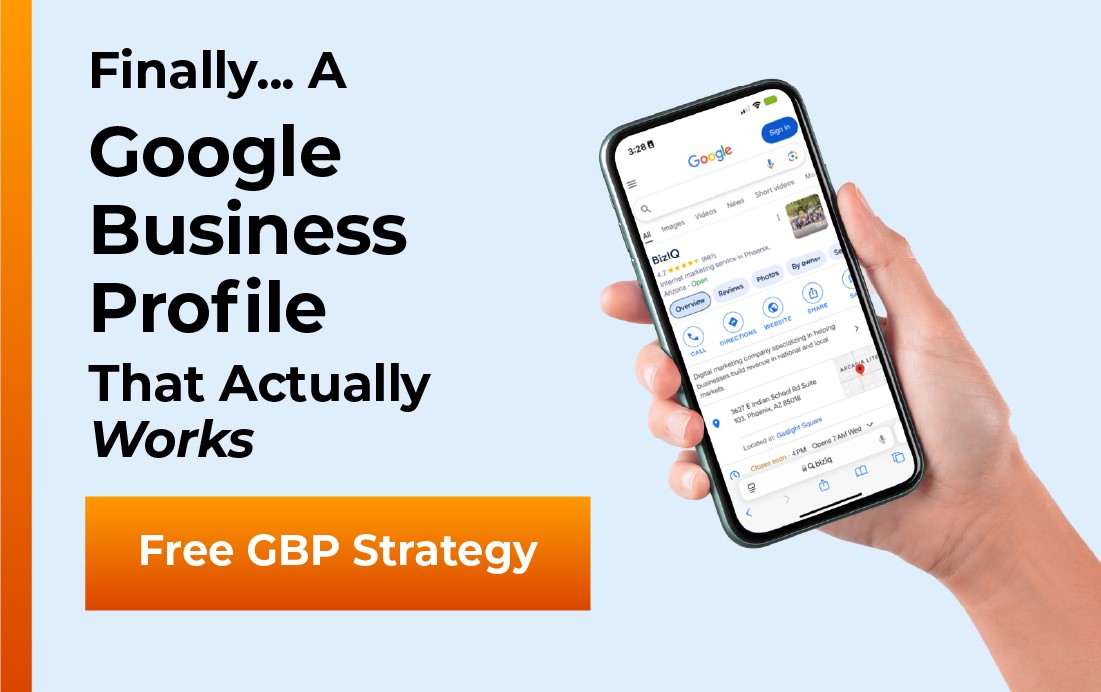
Your next customer is already searching “restaurants near me,” and the first thing they see usually is not your website. It is your Google Business Profile (GBP), the free listing that puts your restaurant on Google Search and Google Maps. For a restaurant, a complete, well run profile is often the difference between a full dining room and a quiet one. This guide walks you through exactly how to claim, set up, and optimize your restaurant’s Google Business Profile in 2026, so more hungry locals find you, choose you, and walk through your door.
- It is free and it is where diners decide. Most people find and judge a restaurant on Google Search and Maps before they ever taste your food.
- Setup is simple. Claim or add your restaurant, pick the right category, and verify that you own it.
- Optimization is where restaurants win. A full menu, great photos, steady reviews, accurate hours, and ordering or reservation links do the heavy lifting.
- Google ranks on distance, relevance, and prominence. A complete profile is how you push the two levers you actually control.
- It takes real time to run well. If you would rather cook than manage listings, BizIQ can set it up and keep it optimized for you.
What’s in This Guide
Why Google Business Profile matters for restaurants
When someone is hungry, they do not open a search engine to read. They open Google or Google Maps, look at the handful of restaurants that appear with photos, star ratings, and hours, and pick one in seconds. That short list, known as the local map pack, is pulled straight from Google Business Profiles. If your restaurant is not there, or its profile looks thin, you are invisible at the exact moment the decision gets made.
A profile is also a trust test. Diners scan your star rating, skim your most recent reviews, glance at the food photos, and check whether you are open right now. A complete, active profile tells them you are a real, well run restaurant worth their time and money. A neglected one quietly sends them to the place next door.
Source: Google / Ipsos, The Benefits of a Complete Business Profile
Here is the good news for owners: everything that makes a profile “complete” is within your control, and most of it is free. Before we set it up, it helps to see what a diner actually looks at.
What your restaurant’s profile looks like to a hungry diner
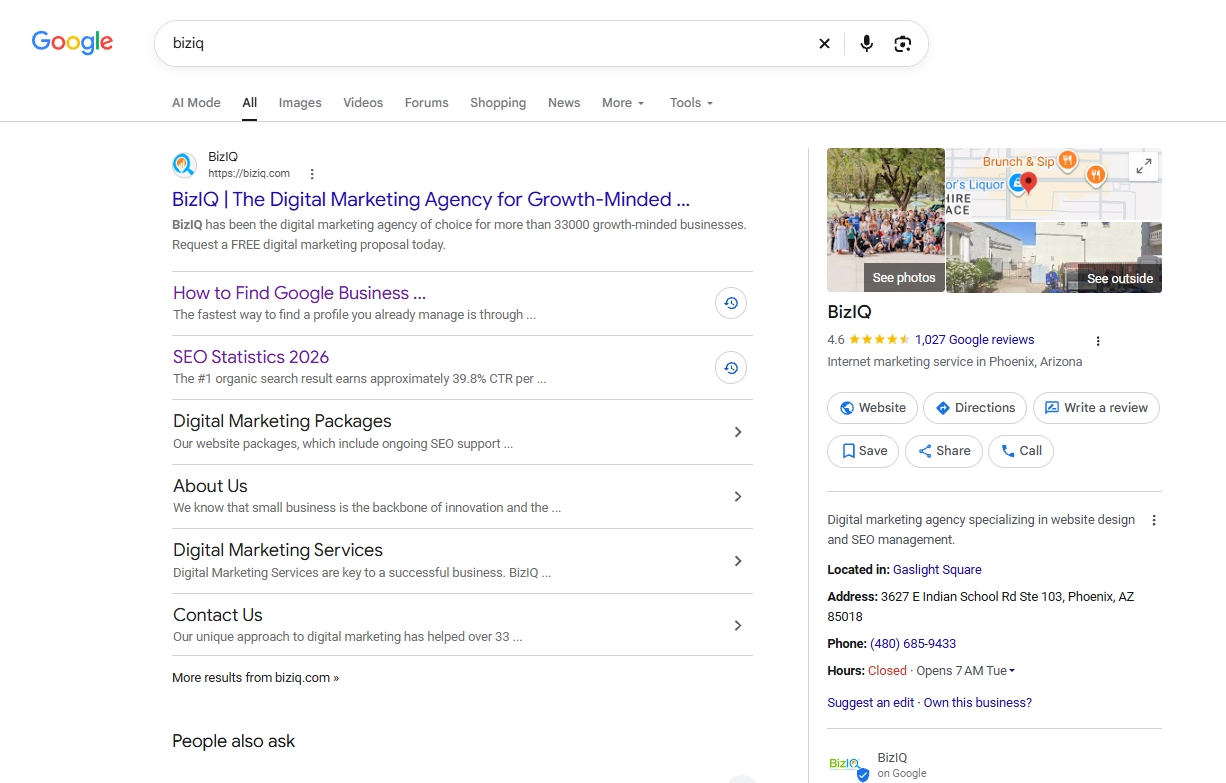
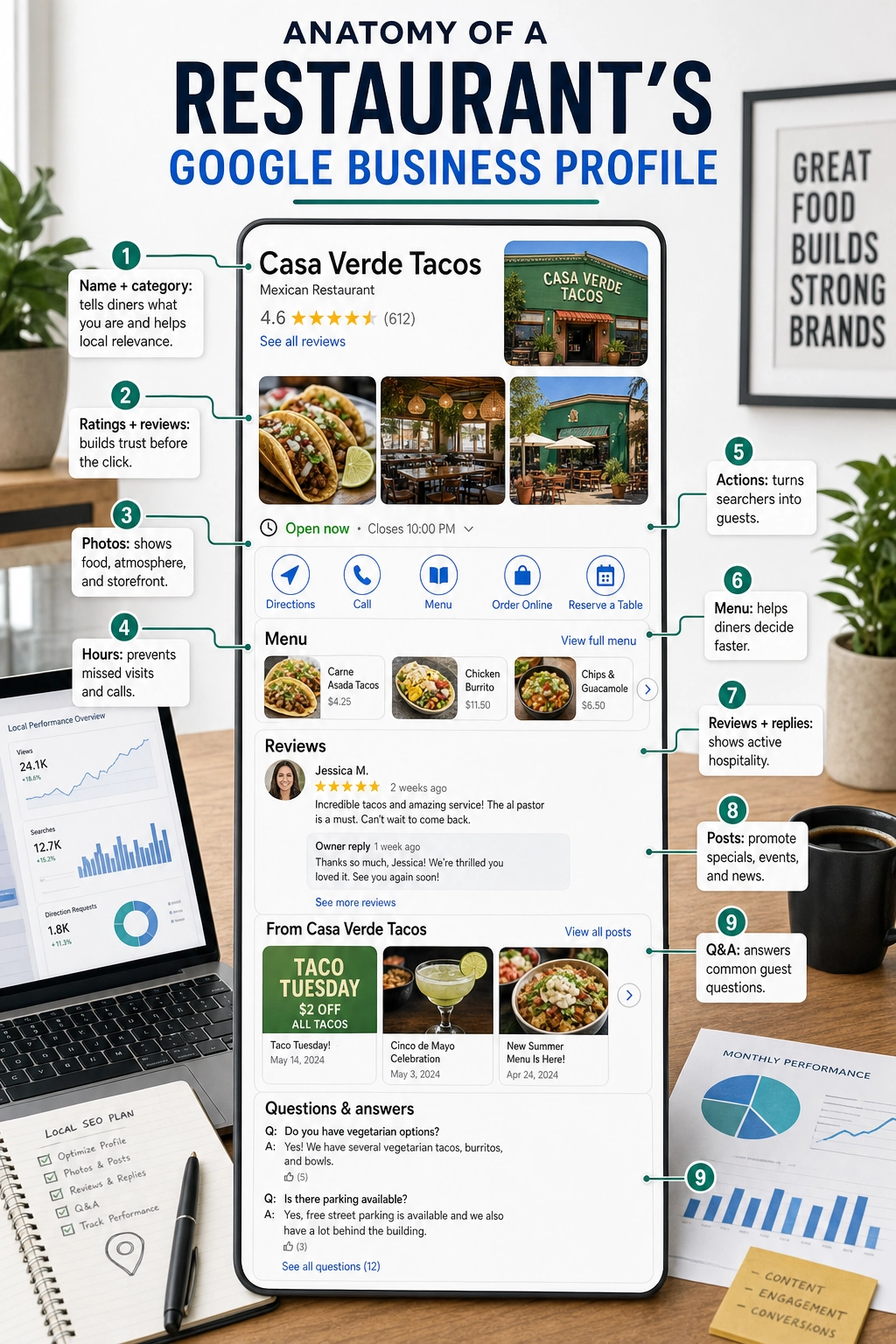
Your profile is a small storefront inside Google. It shows your name and primary category, your star rating and review count, a row of photos, your hours and address, your phone number, and action buttons like Directions, Call, Menu, Order Online, and Reserve a Table. Below that sit your reviews, your posts, a question and answer section, and popular visit times. Every one of those pieces is a chance to win the click or lose it.
If you would rather hand this off from day one, BizIQ builds and manages Google Business Profiles for restaurants as part of a larger local marketing plan.
See BizIQ’s restaurant marketing services
How to set up your restaurant’s Google Business Profile, step by step
Quick note on names before we start. Google renamed Google My Business (GMB) to Google Business Profile (GBP) a few years ago and retired the old app. It is the same tool, so if an older article says “Google My Business,” it means your Google Business Profile. You now manage everything from Google Search, Google Maps, or the business.google.com dashboard.
Setting up a restaurant takes about fifteen minutes if you have your details handy. Have your exact business name, address, phone number, hours, and website ready.
Step 1: Sign in and start your profile
Go to google.com/business and sign in with the Google account you want to own the restaurant’s listing. Use a business email you will keep, not a personal account tied to one employee. Click to manage or create a profile.
Step 2: Search for your restaurant and claim it, or add it new
Type your restaurant’s name and address. Many restaurants already have a listing that Google or a customer created automatically, so claim it instead of making a duplicate. If nothing comes up, choose the option to add your business to Google.
Step 3: Choose the right primary category
Your primary category is one of the strongest signals Google uses to decide which searches you appear in. Pick the most specific match: “Restaurant” is fine, but “Mexican Restaurant,” “Pizza Restaurant,” or “Coffee Shop” is better. You can add secondary categories too, such as “Takeout Restaurant,” “Caterer,” or “Breakfast Restaurant,” to cover the full way people search.
Step 4: Set your address and map pin
Enter your exact street address and confirm the map pin sits on your front door, not in the middle of the block or the parking lot. An accurate pin means accurate driving directions, and a diner who gets lost on the way rarely tries twice.
Step 5: Add your phone number, website, and hours
Add a phone number that rings at the restaurant, your website, and your real opening hours for every day. Hours are not a set-and-forget field, which is why we come back to them later.
Step 6: Verify that you own the restaurant
Google needs to confirm you control the business before your edits go live. Depending on your restaurant, you may verify by video, phone, email, or a postcard mailed to your address. Video verification is now common, so have your signage and storefront ready to film. Nothing you change takes full effect until verification is complete.
New to the whole process? Our step-by-step guide to verifying your Google Business Profile covers each verification method in detail, including what to do if a verification fails.
How to optimize your profile to get more customers
Setup gets you on the map. Optimization is what fills your tables. A verified-but-empty profile ranks poorly and converts worse. This is the part most restaurants skip, which is exactly why doing it well pulls you ahead of the places down the street. Work through each piece below.
Fill out every feature Google gives you
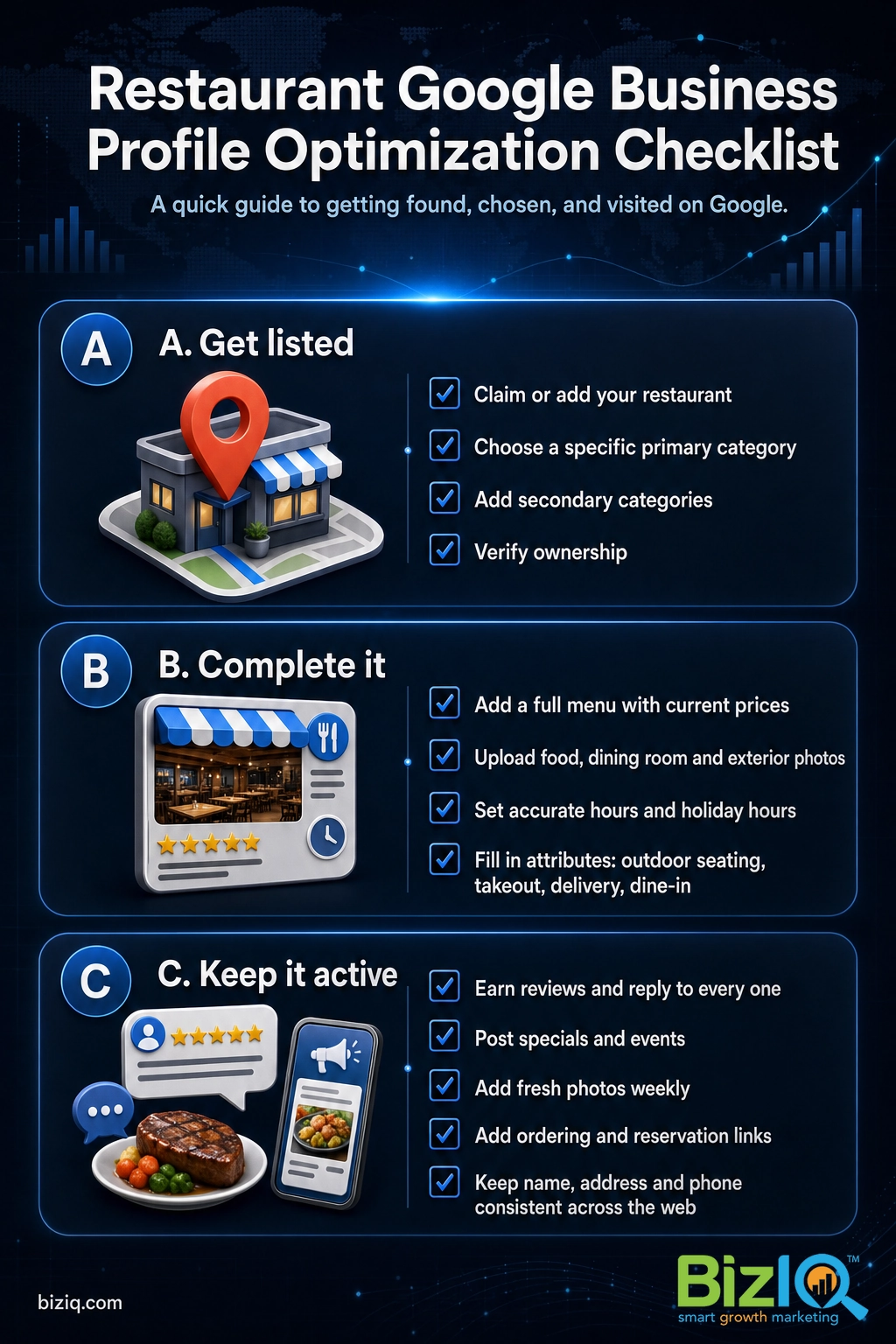
Think of your profile as a checklist, not a one-time form. Each field you complete is another reason for Google to show you and another reason for a diner to choose you. Here is what matters most for a restaurant and why.
| Profile feature | Why it matters for your restaurant |
|---|---|
| Primary + secondary categories | Decides which searches you appear in. Specific beats generic. |
| Menu and dishes | Diners want to see food and prices before they commit. Missing menus lose them. |
| Photos | Restaurants are a visual choice. Food, room, and exterior photos drive clicks. |
| Reviews and replies | Star rating and recent reviews are the fastest trust signal there is. |
| Hours and holiday hours | “Open now” wins walk-ins. Wrong hours lose them and earn bad reviews. |
| Ordering and reservation links | Let diners act the second they find you instead of clicking away. |
| Attributes | Outdoor seating, delivery, takeout, wheelchair access, and more help diners self-select. |
| Posts and updates | Specials, events, and new dishes keep the profile active and fresh. |
| Questions and answers | Answer common questions yourself before a stranger answers them wrong. |
Add a complete menu and keep it current
Your menu is the single most requested thing on a restaurant profile. Add your dishes with names, short descriptions, and accurate prices, and link to the full menu on your site or ordering partner. The fastest way to earn a frustrated one-star review is to list a price online that no longer matches the register, so update the menu whenever it changes.
Load up on real, current photos
People eat with their eyes long before they eat at your table. Add bright, honest photos of your signature dishes, the dining room, the bar, the storefront from the sidewalk, and your team. Then keep adding new ones. Photos are not a one-time task, and the payoff is measurable.
Source: Google Business Profile, photos guidance
Source: Google Business Profile photos guidance.
Set a standing reminder to upload three or four fresh photos every week, built around what is actually happening: a new seasonal dish, a busy Friday night, a holiday special. Fresh, frequent photos keep your profile looking alive, which is exactly the kind of restaurant diners want to try.
Win reviews, and reply to every one
Reviews are the loudest trust signal on your profile. Ask every happy guest, make it easy with a short link or a QR code on the table or receipt, and train your team to mention it naturally. Just as important, reply to every review, the glowing ones and the critical ones, in a warm and professional voice. A thoughtful reply to a complaint often reassures future diners more than a perfect five-star streak. Our deeper look at how reviews drive visibility for restaurants and cafes breaks down a simple routine any owner can run, and if you want a faster system, see how to get more Google reviews.
Turn on ordering and reservations
Every extra click between “I found you” and “I ordered” is a chance to lose the sale. If you use an online ordering or reservation partner that connects to Google, an Order Online or Reserve a Table button can appear right on your profile. Add your own ordering and booking links as well, so a diner can act in the moment instead of searching again and landing on a competitor.
Set attributes, hours, and holiday hours
Attributes let diners filter for what they need: outdoor seating, delivery, takeout, dine-in, wheelchair access, good for groups, and more. Fill in the ones that apply honestly. Then treat hours as a living field. Update them for holidays, special events, and seasonal changes, because “open now” is a ranking and conversion factor, and the fastest way to anger a hungry family is a locked door at an hour your profile promised you were open.
For the broader playbook behind these moves, read our guide to optimizing your Business Profile for local search, and make sure you have chosen the best Google Business Profile categories for how diners really search.
How Google decides which restaurants show up
Google is public about how it ranks local results. It weighs three factors: distance (how close you are to the searcher), relevance (how well your profile matches what they typed), and prominence (how well known and trusted your restaurant is online). You cannot move your building, so distance is fixed. The other two are yours to earn.
Relevance comes from a complete, accurate profile: the right categories, a full menu, clear attributes, and details that describe exactly what you offer. Prominence comes from your review volume and quality, your activity, your website, and consistent information about your restaurant across the web. That consistency has a name worth knowing: NAP, which stands for name, address, and phone number. When your NAP matches everywhere Google finds it, Google trusts it, and trust is prominence.
The restaurants that dominate their local pack treat their profile like a second storefront that is open and staffed every day, not a listing they filled out once in 2022. Weekly photos, prompt review replies, and current hours compound into the prominence Google rewards. Set-and-forget is the single most common reason a good restaurant gets out-ranked by an average one.
Local ranking for restaurants is tightly linked to the map pack, reviews, and your wider local footprint. Our breakdown of restaurant local SEO and the map pack shows how the profile fits into the bigger search picture, including how AI powered results are starting to pull from the same signals. (SEO stands for search engine optimization, the work of helping your restaurant show up in search.)
Source: Google, Improve your local ranking on Google
Real results for real local businesses
How BizIQ clients turned their Google presence into customers.
Rosalia’s Mexican Restaurant
Restaurant — Orangeburg, SC
An out-of-date Google Business Profile was sending customers to competitors. BizIQ revamped the website and optimized their GBP so patrons can easily find them online, see the latest deals, and read reviews.
“They make us louder, they help us demand attention, and we get it.” — Kim, Owner
US Post
Residential mailbox installation
US Post didn’t show up for “mailbox installers near us.” BizIQ’s combined SEO and Google Ads strategy grew their visibility on the way to $11 million in revenue.
“I wouldn’t be here without you guys.” — Lance, Owner
Common mistakes restaurants make on Google
Most restaurants do not lose on Google because of one big error. They lose through a handful of small, fixable habits. Watch for these.
The myth: “If I never claimed a profile, my restaurant does not have one.” In reality, Google often generates a basic listing automatically, and customers can suggest edits to it. If you have not claimed yours, someone else may be shaping how your restaurant appears, including wrong hours or a bad phone number. Claiming it is how you take back control.
Watch out for these too: duplicate listings competing with each other, a generic “Restaurant” category when a specific one would rank better, no menu or an outdated one, a single stock photo, hours that are wrong on holidays, reviews that go unanswered for weeks, and inconsistent name, address, or phone details scattered across other sites. Each one is small. Together they are the gap between the restaurant that fills up and the one that wonders why the phone is quiet.
Do it yourself, or get help?
Everything in this guide is something an owner can do. The honest question is whether you have the time to do it consistently, week after week, on top of running a kitchen, a staff, and a floor. A profile only pays off when it stays complete, fresh, and responsive, and that steady upkeep is where busy restaurants tend to fall behind.
That is the gap BizIQ fills. We set up and optimize your Google Business Profile, keep your menu, photos, hours, and posts current, help you build a steady flow of reviews, and tie it all into a wider local marketing plan so your restaurant shows up and gets chosen. See how it comes together in the short walkthrough below.
BizIQ has earned a 4.6 star rating from more than a thousand Google reviews of its own, so the local marketing that wins customers for restaurants is work we practice on ourselves every day.
Source: BizIQ reviews
BizIQ even backs eligible local marketing packages with a Local Marketing Guarantee: we aim to get you onto the first page of Google’s local map results or organic search results within 60 days, ranking for at least two keyword phrases that each include a local area, such as “tacos in Mesa.” If we do not, you do not pay the next month’s fee and we keep working for free until you rank. The guarantee applies to eligible packages and excludes one-time services and special offers, so ask us which plan fits your restaurant.
Explore local SEO built for restaurants
Get your restaurant found on Google
A great meal is wasted on an empty room. Your Google Business Profile is the free, high impact tool that puts your restaurant in front of hungry locals at the exact moment they are deciding where to eat. Claim it, complete it, add your menu and photos, earn reviews and reply to them, keep your hours honest, and give diners a way to order or reserve on the spot. Do that consistently and you will climb the local pack and fill more tables.
If you would rather spend that time in the kitchen, BizIQ will handle the profile and the wider local marketing for you. New to local search overall? Start with our beginner’s guide to restaurant SEO, or browse more Google Business Profile answers.
Count on them
“These folks are great! They DO what they say they DO unlike others that just promise. You can count on them.”
— Mike B.
10 stars
“I have been solicited by hundreds of people but nobody could ever compare to BizIQ's first class service and professionalism. Very fair pricing and unparalleled expertise. Couldn't be…”
— Don S.
Best SEO company
“Hands down the best SEO company in business!! Our Client Success Manager is the most honest and hard working person I have had the pleasure of working with! This company can change…”
— James H.
Frequently asked questions
Is Google Business Profile free for restaurants?
What is the difference between Google My Business and Google Business Profile?
How do I add my menu to Google for my restaurant?
Can customers order food directly from my Google Business Profile?
How do restaurants rank higher in the Google Maps local pack?
How many photos should a restaurant add to Google?
How do I get more Google reviews for my restaurant?
Do I need a website if my restaurant has a Google Business Profile?
Sources
- Google / Ipsos, The Benefits of a Complete Business Profile (complete-profile and photo engagement figures)
- Google, Improve your local ranking on Google (distance, relevance, prominence)
- BizIQ reviews (BizIQ rating and review count, verified October 2026)
Statistics are attributed to their original source. Figures cited to Google come from Google’s published Business Profile research and guidance.