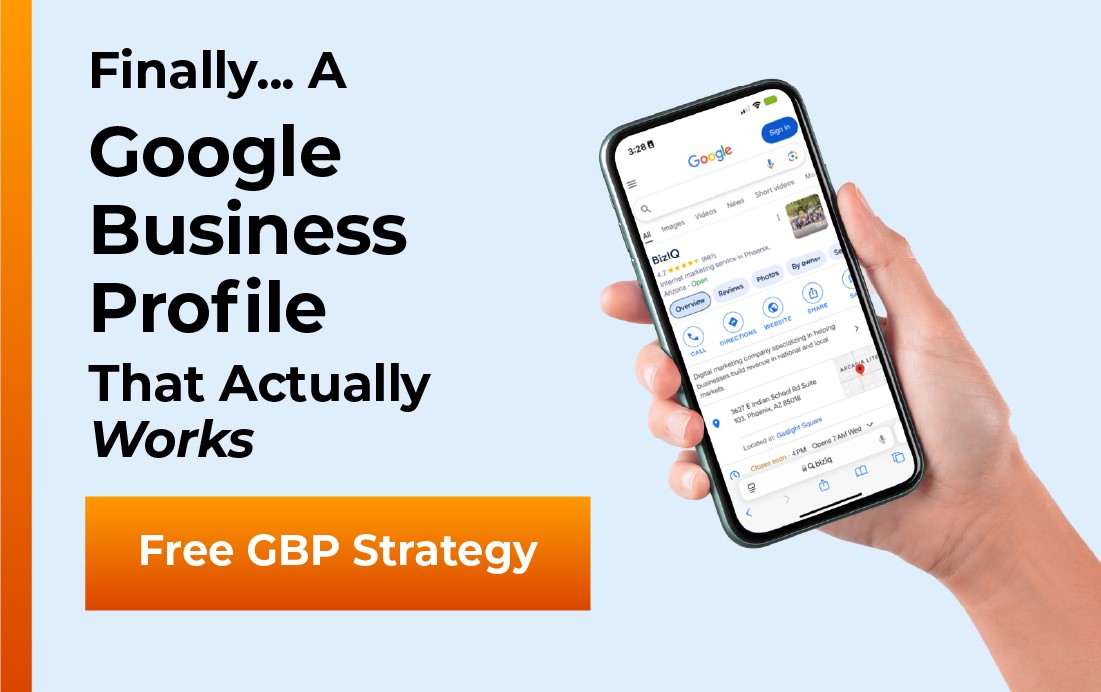
A Google Business Profile (GBP) is the free business listing Google shows in Search and Maps, with your name, hours, location, photos, reviews, and contact buttons. It is how local customers find you, judge you, and reach you on Google. If someone searches for what you sell near them, your profile is often the first thing they see, before your website and before any ad.
This guide explains what a Google Business Profile is, what it looks like, the parts it is built from, how Google decides which profiles to show, and why it matters so much for a small business. If you have heard the term “Google My Business” and wondered whether it is the same thing, it is, and we will clear that up in a minute.
- A Google Business Profile is a free Google listing that shows your business in local Search results and on Google Maps.
- It replaced the name “Google My Business” in 2022, but it is the same tool.
- Google ranks profiles on three things: relevance, distance, and prominence.
- A complete, active, well-reviewed profile wins more calls, direction requests, and local visibility than a half-finished one.
- It is free to set up, and it works best alongside your website, not instead of it.
What’s in This Guide
- What a Google Business Profile Is
- What a Google Business Profile Looks Like
- The Parts of a Google Business Profile
- How a Google Business Profile Works
- Why It Matters for Local Businesses
- Google Business Profile vs. Your Website
- How to Set Up and Optimize Your Profile
- Frequently Asked Questions
- Keep Learning About Local Search
What a Google Business Profile Is
A Google Business Profile is the public listing that represents your business across Google. When a customer searches for a service or product near them, Google pulls from these profiles to decide which local businesses to show, where to rank them, and what to display about each one. You own and control the information on your profile, and Google serves it to the right people at the moment they are looking.
The name has changed over the years, which is where a lot of the confusion comes from. The tool used to be called Google My Business, often shortened to GMB. In 2022 Google retired that brand and renamed it Google Business Profile, and it moved the controls directly into Google Search and Google Maps instead of a separate app. If you want the full story on the switch, we cover it in our guide on what happened to Google My Business. For everyday purposes, Google My Business, GMB, Google Business Profile, and a “Google Business listing” all point to the same thing.
You may still see the old “Google My Business” name in articles, tools, and even some Google screens. It does not mean you are looking at a different product. It is the same profile under its former name, so do not go hunting for a separate GMB account.
What a Google Business Profile Looks Like
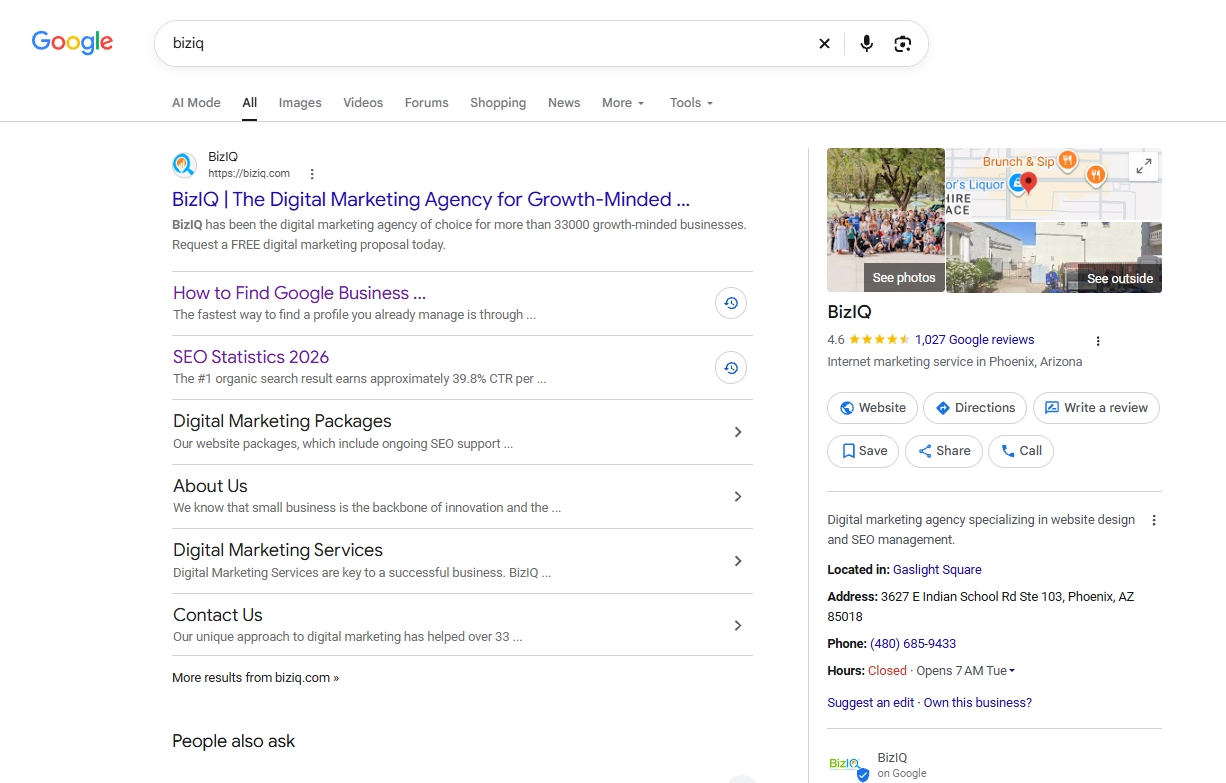
Most people interact with a Google Business Profile without ever realizing it has a name. It shows up in three main places, and understanding them helps you picture what customers actually see.
The local map pack. When you search for something like “coffee shop near me,” Google shows a small map with a short, ranked list of businesses below it. That block is the local pack, and each entry is pulled from a Business Profile. This is the most valuable real estate in local search.
The Google Maps listing. Open Google Maps, search a business, and tap its pin. The panel that slides up, with photos, hours, reviews, and a Directions button, is the same profile shown in a Maps layout.
The knowledge panel. Search a specific business by name on a desktop and a box usually appears on the right side of the results with the company’s details, rating, and action buttons. That box is the profile rendered as a knowledge panel.
Same profile, three views. Whatever a customer taps, the information comes from the one listing you manage.
The Parts of a Google Business Profile
A profile is more than a name and a pin. It is a set of fields and features, and each one is a chance to answer a customer’s question or push them to act. Here is what it is built from.
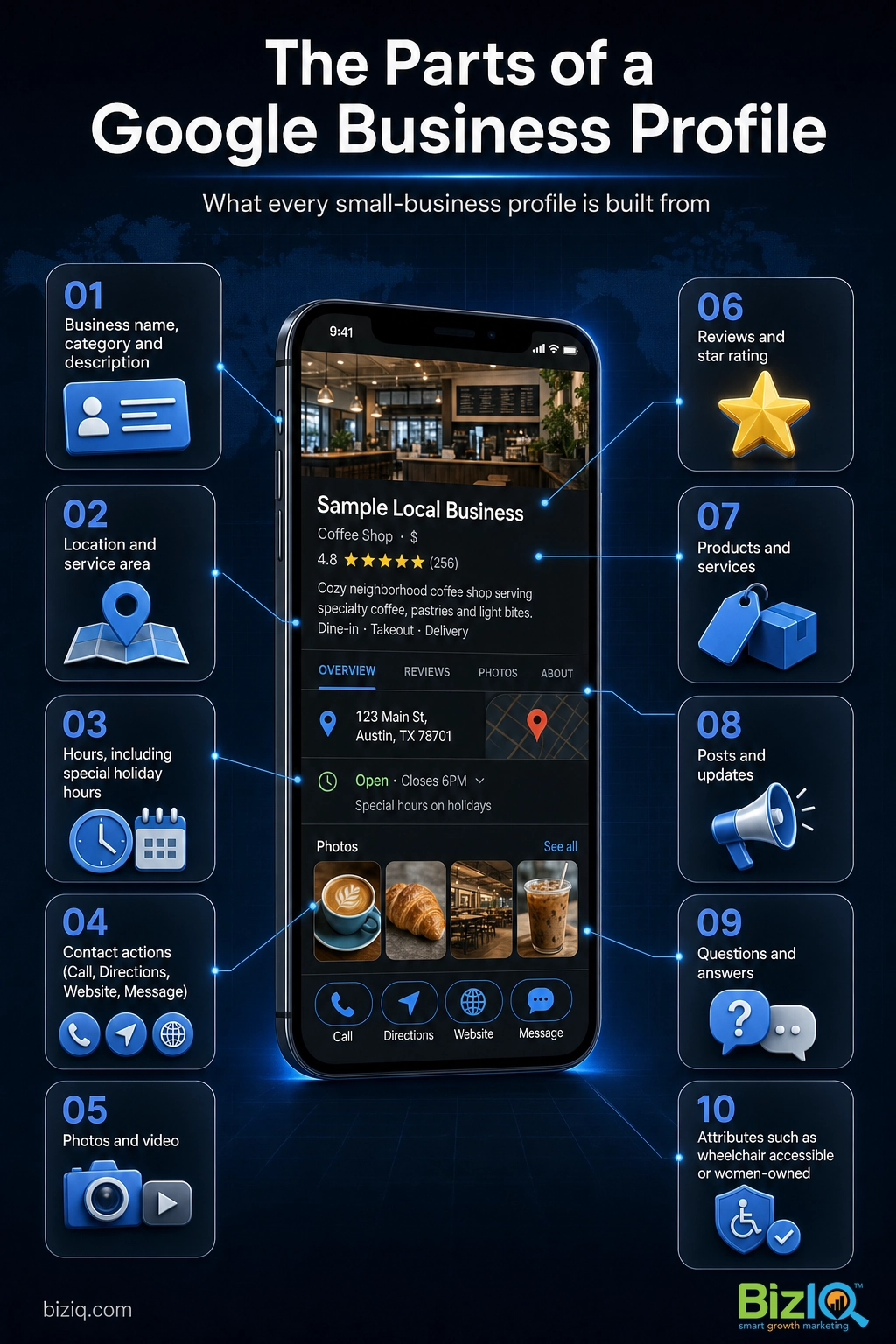
- Business name, category, and description. Your real name, the primary category that tells Google what you do, and a short summary of your business.
- Location and service area. A street address for storefronts, or the areas you travel to for service businesses.
- Hours. Regular hours plus special hours for holidays, so customers are never sent to a closed door.
- Contact actions. Click-to-call, a Directions button, a website link, and messaging, so a customer can reach you in one tap.
- Photos and video. Your storefront, team, products, and work. Profiles with real photos look active and trustworthy.
- Reviews and ratings. Customer reviews and your star average, plus your public replies.
- Products and services. A menu of what you offer, with descriptions and pricing where it fits.
- Posts and updates. Short announcements, offers, and events that appear on your profile.
- Questions and answers. A public Q&A section where anyone can ask, and where you should answer first.
- Attributes. Tags like “wheelchair accessible,” “women-owned,” or “free Wi-Fi” that help you match specific searches.
Every empty field is a question you are leaving unanswered, and an answered question is what turns a search into a phone call.
How a Google Business Profile Works
Once your profile is live and verified, Google decides when to show it and how high to rank it in local results. Google is open about the three factors it weighs, and you can influence all three.
- Relevance. How well your profile matches what the person searched for. A complete profile with the right category, services, and description gives Google more to match against.
- Distance. How far your business is from the searcher or the area they searched. You cannot move your business, but accurate location and service-area settings make sure you show up for the right places.
- Prominence. How well known and well regarded your business is. Reviews, ratings, photos, activity, and links from around the web all feed prominence.
Verification sits underneath all of this. Google needs to confirm your business is real, usually by postcard, phone, email, or video, before your profile ranks normally. You can read the exact steps in our Google Business Profile verification guide.
Guessing at your category, stuffing keywords into your business name, or using a fake address can get a profile suspended. A suspended profile disappears from local results until you fix it and appeal, which can take weeks. Keep every detail accurate and honest from day one.
Source: Google’s official local ranking guidance
Why a Google Business Profile Matters for Local Businesses
For a local business, the profile is often more important than the website, because it is where buying decisions actually happen. A customer in a hurry does not read five web pages. They glance at the map pack, scan the ratings, check that you are open, and tap Call or Directions. If your profile is thin or missing, you are invisible at that exact moment, and a competitor gets the call.
Source: Google Business Profile
It is also one of the few genuinely free marketing channels left. You do not pay Google for the listing, the reviews, the posts, or the calls it drives. That makes a well-run profile one of the highest-return things a small business can do.
Reviews are the clearest example of why this matters. They build the star rating customers judge you by in a split second, and they feed the prominence signal that helps you rank. A profile that collects and answers reviews steadily will out-earn a neglected one, even when the two businesses are otherwise identical.
The businesses that win in local search are rarely the biggest. They are the ones with the most complete, most active, best-reviewed profiles. Filling out every field and replying to every review is boring work, and that is exactly why so few competitors do it, which leaves the door open for you.
Real results for real local businesses
How BizIQ clients turned their Google presence into customers.
Rosalia’s Mexican Restaurant
Restaurant — Orangeburg, SC
An out-of-date Google Business Profile was sending customers to competitors. BizIQ revamped the website and optimized their GBP so patrons can easily find them online, see the latest deals, and read reviews.
“They make us louder, they help us demand attention, and we get it.” — Kim, Owner
Holloway Construction
Demolition & excavation — Jonesborough, TN
Down to their last $2,500 with no online presence, Holloway Construction had BizIQ launch a website in under 24 hours and optimize their Google Business Profile so customers could find them — and made $30,000 in 24 hours.
“BizIQ saved my business.” — Mark Holloway, Owner
Google Business Profile vs. Your Website
The single most common question we hear is whether a Google Business Profile replaces a website. It does not. They do different jobs, and they are strongest together. A profile gets you found and gets the fast actions, a call or a visit. A website gives you room to explain, to rank for more searches, and to earn trust before someone commits.
| Google Business Profile | Your Website | |
|---|---|---|
| Cost | Free | You build and host it |
| Where it shows | Google Search and Maps | Anywhere you link it |
| Best at | Getting found locally and driving calls and directions | Explaining your offer and building trust |
| Control | Within Google’s fields | Full control of design and content |
| Main action | Call, Directions, Message | Learn, browse, buy, book |
Think of the profile as your front door on Google and the website as the rooms inside. The profile gets people to the door, and the website is where they decide to stay.
How to Set Up and Optimize Your Profile
Getting started is straightforward, and you can do most of it in an afternoon. The real work is keeping it complete and active after launch.
- Create or claim the profile. Search for your business on Google. If a profile already exists, claim it. If not, create one. Our walkthrough on how to create a Google Business Profile covers each step.
- Verify it. Complete Google’s verification so your profile can rank and you can edit it.
- Fill out everything. Category, services, hours, a real description, and a full set of photos. Leave nothing blank.
- Optimize for local search. Pick the most accurate primary category, add relevant services, and keep your information consistent with your website and other listings. Our guide to optimizing your profile for local SEO goes deeper.
- Stay active. Post updates, add new photos, answer questions, and reply to every review. Activity signals a real, running business.
If that sounds like more than you have time for, that is exactly the problem BizIQ solves. We set up, verify, and optimize profiles for small businesses every day, so yours is working the way Google rewards.
Get your Google Business Profile set up by BizIQ
Highly recommend BizIQ
“Our business recently hired BizIQ to create our website. They have created the best website we have ever had. We have been impressed by their customer service and how quickly they do…”
— Norman S.
Remarkable job
“Our Client Success Manager has done a remarkable job building our website. Her professionalism and knowledge is great. I never dreamed my business could look so good on a website. All…”
— Michael C.
Count on them
“These folks are great! They DO what they say they DO unlike others that just promise. You can count on them.”
— Mike B.
Frequently Asked Questions
What is Google My Business?
What is GMB in marketing?
Is a Google Business Profile free?
What is a Google Business listing?
How does a Google Business Profile work?
What does a Google Business Profile look like?
Do I need a website if I have a Google Business Profile?
Keep Learning About Local Search
A Google Business Profile is the foundation of local SEO, and there is always more to tune. These guides pick up where this one leaves off:
- Google Business Profile FAQs, with 35 common questions answered for a quick reference you can scan anytime.
- What happened to Google My Business if you want the full history behind the rename.
- How to verify your profile, the step that unlocks ranking and editing.
- How to optimize your profile for local SEO once it is live.
Your profile is the first impression most local customers will ever get of your business. Build it completely, keep it active, and it will quietly send you calls and customers for years.